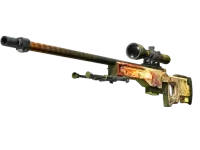
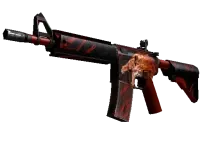
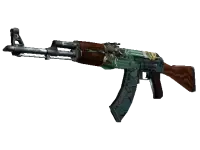
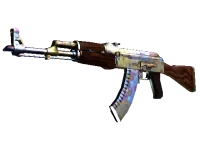


To understand what Farmskins costs, separate the case price, the payment transaction and the value of any item you receive. Published CS2 case examples run from $0.29 for Mil-Spec to $888.88 for Fortune, while the normal minimum deposit is $4. Farmskins also documents 3% cashback in Bullets on cases bought with Balance, plus item withdrawal through Steam. Those details do not amount to a complete commission schedule. This guide explains the published costs, how to compare prices and which charges to confirm before paying. Case opening and chance-based modes are 19+ and carry a house edge.
For information only, the current catalogue is at https://farmskins.com/. Check the selected case and applicable terms before making any decision.
Links to the official site are independent and earn no commission. →
See which costs are actually published
Farmskins is a CS2 case-opening service, not a buy-and-sell marketplace with a standard seller commission. Its costs therefore need a different comparison: what you pay to fund the account, what a selected activity consumes, and what you can withdraw afterward. The FAQ and terms give specific prices and balance rules, but do not publish a fixed, universal deposit or item-withdrawal commission. An unstated fee is not the same as a promise that every transaction has no charge. Check the final payment or withdrawal screen for the transaction you intend to make.
| Cost or condition | Published detail | What it means for your budget |
|---|---|---|
| Case prices | Examples include Mil-Spec at $0.29, Syfers Crakow at $0.99, Platinum at $199.99 and Fortune at $888.88. | These are catalogue examples, not a permanent quote for every case or mode. |
| Minimum deposit | Normally $4; the minimum may be raised for promo abusers. | The cheapest case price is not the same as the amount needed to fund a new account. |
| Case cashback | 3% in Bullets on each case bought with Balance. | This is an internal reward, not a cash rebate to your payment method. |
| Deposit commission | No universal fixed rate is stated in the FAQ or terms. | Review the payment provider's final amount and the balance credit before confirming. |
| Item-withdrawal commission | No universal fixed rate is stated in the FAQ or terms. | Check the withdrawal details rather than assuming an unstated rate. |
| Cash withdrawal | Not available; only in-game items can be withdrawn. | Do not treat a displayed balance or item valuation as withdrawable cash. |
| Refund request | The terms mention a request within 14 days if funds are unused, alongside final-sale wording. | Eligibility needs confirmation; do not rely on an automatic refund. |
Compare case prices without confusing them with deposits
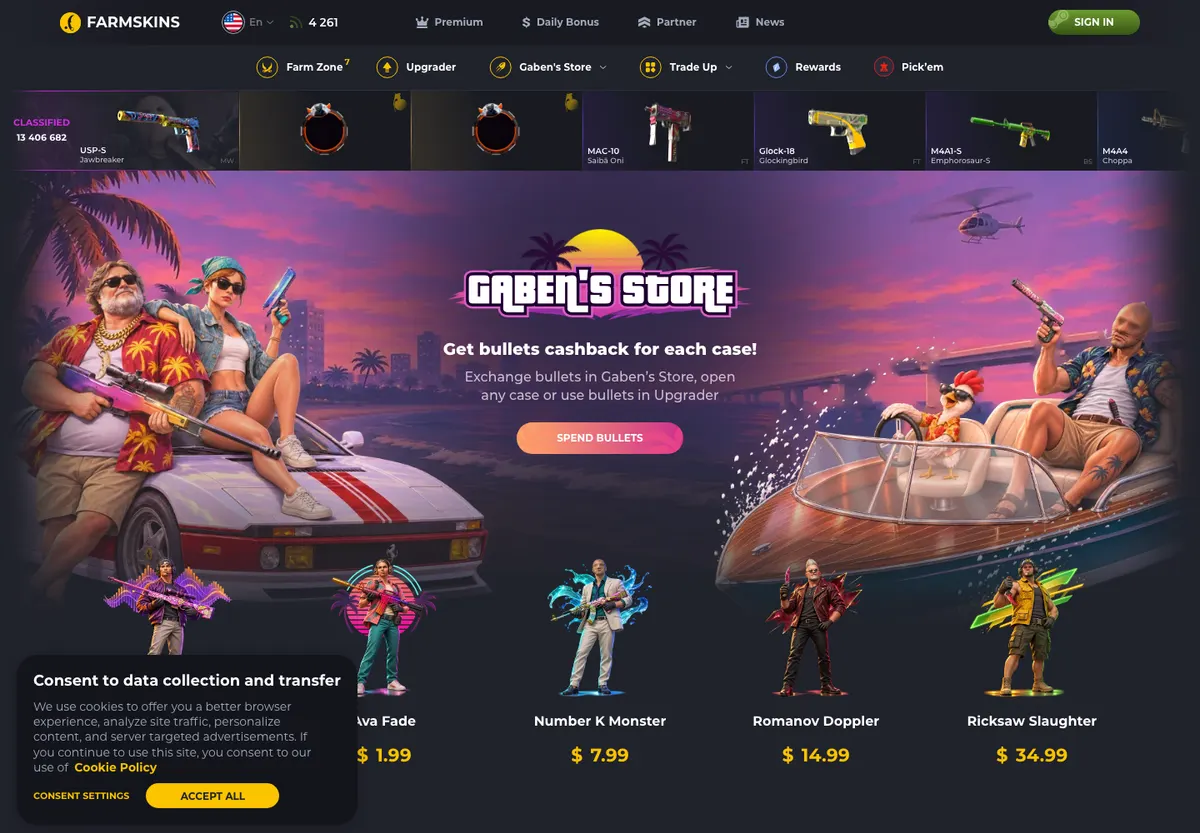
The homepage provides concrete case prices, but Farmskins does not publish a universal formula explaining how every case price is calculated. A case purchase pays for an opening that awards an item from that case's predefined loot table. It does not buy your choice of the displayed skins. Before comparing cases, open the relevant case page and distinguish the entry price from the values attached to possible contents. A prominent high-value item is a possible outcome, not the value of the opening itself. The Farmskins cases guide explains the opening process in more detail.
- Read the price for the selected case rather than relying on a homepage banner.
- Check whether an optional mode changes both the price and the possible contents.
- Keep the deposit amount separate from the amount consumed by an opening.
- Compare the exact skin variant shown in the loot table, not just the weapon name.
- Treat the current confirmation screen as the place to resolve a price discrepancy before spending.
Cost examples using published prices
| Example | Published amount | Correct interpretation |
|---|---|---|
| Mil-Spec opening | $0.29 | The case price is below the normal $4 minimum deposit. A new deposit and an opening are separate transactions. |
| Syfers Crakow opening | $0.99 | This is a listed case price, not a promise that the awarded item will match or exceed that value. |
| Platinum opening | $199.99 | A higher entry price increases the amount committed; it does not guarantee a preferred skin. |
| Fortune opening | $888.88 | This is a published high-priced example, not a suggested budget or a cash-return estimate. |
| A Balance-funded case | 3% cashback in Bullets | Keep the cashback separate from the purchase cost because Bullets cannot be withdrawn as money. |
For example, a reader interested only in Mil-Spec should not budget solely around its $0.29 listing if a deposit is needed first: the normal funding minimum is $4. Equally, unused balance should not be counted as cash waiting to be withdrawn. The terms describe balance credits as having no real-money value and being non-refundable, subject to the conflicting refund language discussed below. No hypothetical remaining-balance calculation can resolve those restrictions; decide whether the funding commitment is acceptable before making it.
Understand the difference between price, value and house edge
The case price is the amount charged for the activity. The platform value is the figure Farmskins uses for an item within its own features. A Steam Community Market price belongs to a different setting, where transactions use Steam Wallet funds and the purchase dialog includes fee lines. These figures are not interchangeable. A higher displayed skin value does not create a cash-withdrawal right, and a difference between platform and Steam prices is not automatically a separately charged commission. Farmskins does not publish a universal skin-pricing formula that lets you reconstruct every valuation.
General CS2 item guidance also matters when comparing values. Skins can differ by exterior condition, float, StatTrak status and pattern characteristics. A listing for a similarly named item may therefore be a poor comparison. Rarity describes an item's category or scarcity context; it does not by itself establish a universal price. Compare the precise variant, the type of transaction and the unit of value. For Farmskins specifically, keep that comparison informational: its terms prohibit third-party resale and real-money exchange, and the service does not operate a buy-and-sell marketplace.
The house edge is different again: it is the mathematical advantage built into a chance-based activity, not necessarily a fee line at checkout. Assessing expected value would require reliable outcome probabilities and consistent values for every possible result. Farmskins' FAQ describes an algorithm selecting an item, but does not provide seed-and-hash verification instructions. No numerical house-edge estimate is presented here. A price list alone cannot establish the return from a case, and a result from an earlier opening does not establish what the next opening will be worth.
Check the full payment cost before depositing
The FAQ names several deposit routes, but a supported payment method is not a published all-in fee quote. General payment considerations can include provider charges, currency conversion and, for cryptocurrency transfers, network costs. Those are checks to make with the relevant provider, not charges that should automatically be attributed to Farmskins. Compare the amount leaving your payment source with the amount of site balance being credited. If the currencies differ, inspect the conversion terms rather than judging the transaction from the case price alone.
| Route | What Farmskins documents | What to inspect before paying |
|---|---|---|
| Card | Card payments through ZEN. | Final card charge, billing currency and any conversion disclosed by your provider. |
| Local and bank-based payments | BLIK, bank transfer and Klarna Sofort are named. | The selected provider, payable amount and balance credit; do not assume identical terms across methods. |
| Cryptocurrency | Coinbase crypto deposits, with 6 confirmations. | Requested asset and network, credited amount and any sending cost disclosed by your wallet or provider. |
| Skin deposit | Skin2pay is named as a deposit method. | The exact items offered and the balance valuation shown before accepting. |
| Gift cards | G2A/Kinguin gift cards are named. | Purchase price, redemption terms and the balance credit attached to the card. |
| Steam Wallet | Not accepted. | Do not confuse Steam Wallet funds with a supported Farmskins deposit balance. |
- Choose a deposit route you can verifyStart from the official site and identify the payment provider. Check availability before purchasing a gift card or preparing a transfer.
- Compare charge and creditRead the outgoing amount, its currency and the incoming site balance. Ask about an unexplained difference before authorising payment.
- Save the transaction detailsKeep the provider receipt, transaction reference and confirmation screen. These help distinguish a charge dispute from a delayed balance update.
- Wait for the stated processing pathThe FAQ gives 5–30 minutes for most methods and up to 3 days for Klarna Sofort. A delay alone does not establish that an additional fee is due.
For a missing credit, establish the status of the original transaction before sending another payment. A bank authorisation, completed payment and posted site balance are different stages. Keep screenshots showing the mismatch, but remove sensitive payment information before sharing them. The deposit and withdrawal guide covers the documented methods and processing expectations separately from the fee questions on this page.
Value Bullets separately from money
Bullets are an internal unit used across several Farmskins features. The terms say Bullets and Crystals have no cash value, cannot be transferred and are forfeited when an account is terminated. That distinction matters whenever a screen presents a reward, a price difference or an alternative payment unit. Do not combine a money-denominated payment and a Bullet amount as if they were the same kind of asset. Evaluate the transaction in the unit actually required, and consider whether the available uses fit what you intended to do.
Cashback does not reduce the cash payment
The published cashback rule is 3% in Bullets on each case bought with Balance. It is not a reduction in the amount already paid from your payment source, and it is not a cash refund after an opening. The qualifying action is the Balance-funded case purchase, not simply making any deposit or using any feature. Keep the purchase cost and the internal reward on separate lines in your own records. Spending beyond your planned budget to obtain more Bullets adds a new commitment rather than reversing the earlier one.
Skin Changer settles differences in Bullets
Skin Changer swaps an inventory skin for another, with the difference paid in or refunded as Bullets. A Bullet adjustment is therefore part of the documented exchange mechanism, but it does not establish a universal cash commission. Before accepting a swap, identify the outgoing skin, the replacement and which direction the Bullet adjustment goes. If the replacement has a lower platform valuation, do not expect the difference to return to a bank account. If the adjustment seems inconsistent, preserve the quote and ask support to explain it before accepting.
Store purchases and random exchanges are different
Gaben's Store accepts Bullets only and offers cases, skins and balance cards. Warehouse instead exchanges Bullets for a random skin. These are different spending decisions: a displayed product listing and a random exchange should not be evaluated as interchangeable purchases. Read what is being supplied and which unit is consumed. A balance card offered internally does not override the terms stating that balance credits are not real money.
For information only, https://farmskins.com/ lists payment routes and confirmation details. Check the applicable terms before making any decision.
Links to the official site are independent and earn no commission. →
Check how the selected mode changes your commitment
| Activity | Documented cost mechanism | Price check |
|---|---|---|
| Standard case opening | Payment comes from Balance, or Bullets where permitted. | Confirm the selected case price and payment unit. |
| Ultimate Mode | On some cases, the item pool may shrink, the price may drop and Bullet accrual may rise. | Compare the changed contents as well as the changed price. |
| Farm Zone | Battles support 2, 3 or 4 users and up to 30 cases. | Read the complete selected battle entry, not just an individual case price. |
| Upgrader | Input items and optionally Bullets are exchanged for a higher-value target; failure still yields a skin of unguaranteed value. | Review all committed items, any Bullet contribution and the target before proceeding. |
A cheaper Ultimate Mode setting is not automatically an equivalent purchase because the available contents may also change. Likewise, an Upgrader attempt is not a fixed-price purchase of the target skin. Its page shows an Upgrader Level benefit described as up to 4% value on a failed upgrade at level 1; that should not be read as a universal refund rate or a promise of a particular replacement value. These chance-based activities remain 19+ and carry a house edge. See the game modes guide before comparing their costs.
Understand item withdrawal before assigning a cash value
Farmskins does not support cash withdrawal. Its documented withdrawal route sends in-game items by Steam trade offer, and a deposit is required before item withdrawal. That makes the destination of value important: an item entering your Steam inventory is not a payment to your bank, card or cryptocurrency wallet. There is no published cash-out commission to compare because that withdrawal service is not offered. Nor should you plan a third-party resale route around Farmskins items, since its terms prohibit third-party marketplace resale and real-money exchange.
- Check eligibility before fundingThe FAQ requires a saved Trade URL, a Public Steam profile and inventory, and Steam Guard active for 15 days. Review these conditions before treating an item as immediately deliverable.
- Inspect the withdrawal requestConfirm the requested item and read any transaction-specific information. No universal item-withdrawal commission is stated in the FAQ or terms.
- Match the incoming Steam offerCompare the item and trade contents against your request. Do not accept an unrelated offer merely because it arrives after you requested a withdrawal.
- Use the documented delivery expectationsThe FAQ says delivery is usually within 45 minutes, can take up to 24 hours when delayed, and rejected offers return after 1 hour. These are timing statements, not additional charges.
Steam fees and holds are separate issues
As general Steam guidance, a trade offer specifies items on both sides, while a Steam Community Market transaction buys or sells items for Steam Wallet funds. The Market purchase dialog shows fee lines charged by Valve. Those Market charges should not automatically be added to a Farmskins item withdrawal as if the same transaction were taking place. First identify whether you are inspecting a trade offer, a Market listing or a Farmskins screen. Each serves a different function, and a fee shown in one context does not establish a fee in another.
A Steam trade hold is also not a commission. Valve describes it as a period during which items are held before delivery so an account owner can cancel a fraudulent trade. Steam Guard and trade confirmations are security controls, not purchases that should be settled through an unsolicited message. If someone requests an extra transfer to release an item, independently check the request through official support before doing anything. The trade safety guide explains how to inspect offers and avoid confusing account-security issues with payment requirements.
Read the refund wording before spending
The refund language needs particular care. The terms mention a refund request within 14 days of payment if the funds remain unused, but the same section also says purchases are final and non-refundable. Elsewhere, balance credits are described as non-refundable and not worth real money. These statements should be read together rather than selecting only the most favourable sentence. A request window is not a guarantee that a refund will be approved. If refund eligibility affects your decision to deposit, ask support for clarification before paying or using any funds.
- Keep the payment date, provider receipt and transaction reference.
- State whether the credited funds have remained unused.
- Identify the exact amount and currency shown on the original receipt.
- Ask which refund provision applies to your transaction and whether any deduction would be made.
- Avoid further account spending while waiting for an answer about unused funds.
Farmskins lists support@farmskins.com and mentions live chat and a ticket system. A useful fee enquiry is specific: show the amount charged, the balance received and the screen where you expected something different. Never include a Steam password, authenticator code or full card credentials. The support guide explains what to prepare for an account or transaction enquiry.
Resolve common price and balance discrepancies
Your payment charge exceeds the balance credit
Compare the payment receipt with the deposit confirmation, including their currencies. Check for a provider-disclosed charge or conversion before labelling the difference a Farmskins commission. If both documents use the same currency and the difference is unexplained, send support the paired records. Ask for the transaction's charge-and-credit breakdown rather than a general statement about fees. That makes the question answerable without guessing which stage produced the mismatch.
A case costs more than the price you first saw
Check the case name, selected mode and whether the screen represents an individual opening or a battle entry. Ultimate Mode can change a case's price and contents, while a battle may involve multiple selected cases. If those details do not explain the difference, stop before confirming and save the listing alongside the final quote. Do not treat a published example on this page as an entitlement to a particular live price.
A skin's displayed value differs from another listing
First match the precise variant, including exterior and any special attributes. Then identify the listing context: a platform valuation and a Steam Wallet price are different measures. A discrepancy by itself does not reveal the size of a hidden commission. Because Farmskins does not publish a universal valuation formula, request an explanation for the specific quote if it affects an exchange decision. The glossary explains float, wear and related item terminology.
A reward did not appear as cash balance
Check the reward unit before assuming a credit is missing. The documented case cashback is paid in Bullets, and Skin Changer differences are also settled in Bullets. Neither creates a payment back to your original deposit method. If the relevant internal unit still appears incorrect, report the qualifying purchase or exchange and its reference. Keep that enquiry separate from a cash-refund request, since they concern different rules and account records.
Your final cost checklist
- Confirm that you are eligible to use the service and meet the 19+ requirement.
- Set a spending limit independently of any case reward or Bullet offer.
- Read the selected case or mode's total commitment, not just its headline price.
- Compare the payment-source charge with the site balance being credited.
- Keep Balance, Bullets, Crystals and Steam Wallet funds conceptually separate.
- Check Steam withdrawal readiness before depositing for an item-related goal.
- Resolve unclear charges and refund conditions with support before confirmation.
The practical conclusion is to budget around money committed, not the value of a hoped-for result. Published case prices make the entry cost visible, but they do not remove the house edge or turn internal rewards into cash. If spending becomes difficult to control, stop rather than trying to offset earlier costs. See the responsible gambling guide for budgeting and support guidance.
Farmskins fees FAQ
No matching questions found.
Does Farmskins charge a deposit fee?
What is the minimum Farmskins deposit?
How much do Farmskins cases cost?
Does Farmskins charge a withdrawal fee?
Is the 3% cashback paid in money?
How does Farmskins set skin prices?
Can I withdraw my balance as cash or sell items through Farmskins?
Can I get a refund for an unused deposit?
For information only, https://farmskins.com/ lists case prices, payment details and terms. Check them before making any decision.
Links to the official site are independent and earn no commission. →
This independent guide is for informational purposes and is not affiliated with Farmskins.