







Farmskins is an overseas gambling service. New Zealand law prohibits advertising overseas gambling; its New Zealand licence status is unconfirmed.
Links to the official site are independent and earn no commission. →
Farmskins at a glance
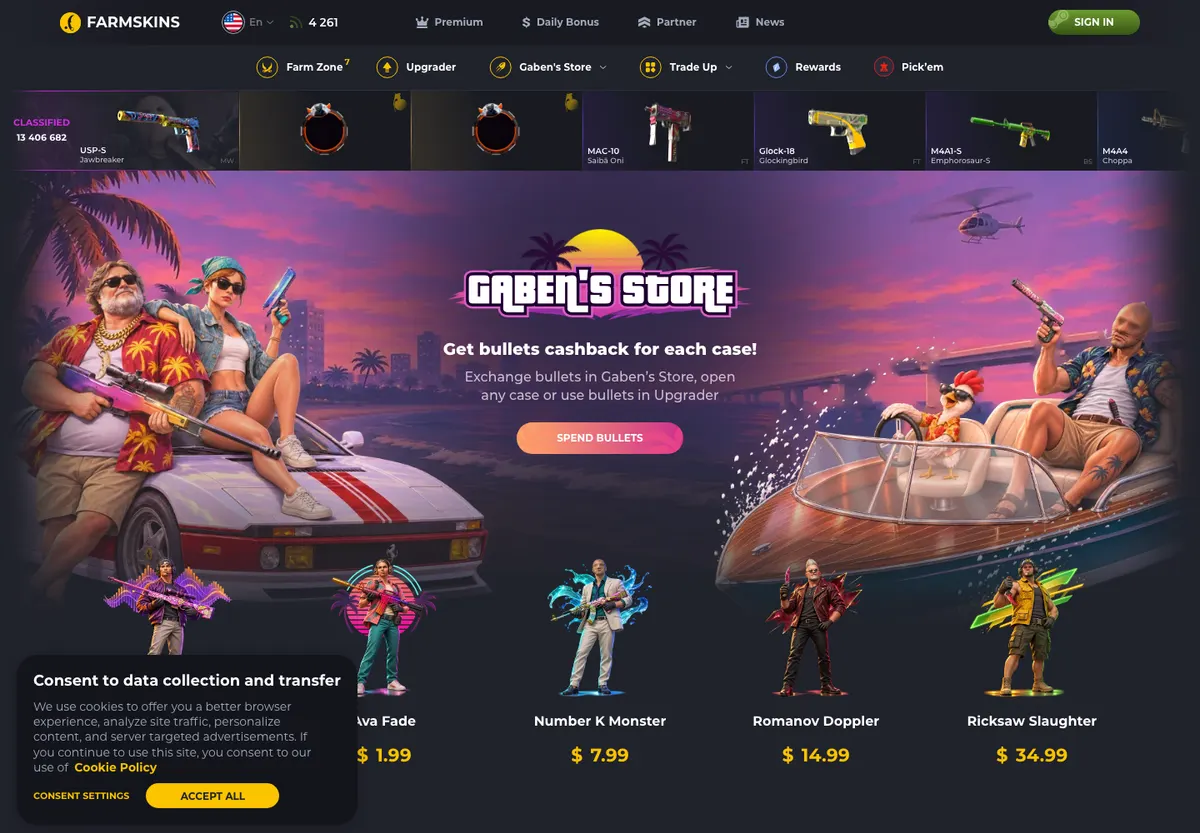
The central distinction is between opening for an uncertain item and buying a specific item outright. Farmskins is built around the former, with additional ways to use inventory items and platform currencies. Its Skin Changer does not turn it into an open buy-and-sell marketplace. The terms prohibit third-party resale and real-money exchange, so it should not be approached as a route from a deposit to cash. For a closer assessment of the product and its limitations, read the Farmskins review.
Choose a mode by what happens to your items
Farmskins offers several experiences, but they do not all work like a standard case. Some select an item from a pool, some put items at stake against a target, and others exchange a currency for a stated product. Start with the mechanic rather than the artwork or the most valuable item pictured. The relevant question is what you commit, what remains uncertain and what you receive when the action finishes.
| Feature | Documented mechanic | What to understand first |
|---|---|---|
| Case opening | Receive an item from a predefined loot table; pay with balance or Bullets where permitted. | The pictured high-value item is not a promised result. |
| Farm Zone | Players open identical cases and compete for the resulting items. | Read the live match rules, including how the winner is determined. |
| Upgrader | Commit input items and optionally Bullets toward a higher-value target skin. | The target can be missed; the failed-attempt skin has no guaranteed value. |
| Skin Changer | Swap an inventory skin for another, settling value differences in Bullets. | A Bullet refund is not a cash refund. |
| Gaben’s Store | Use Bullets for cases, skins or balance cards. | The store accepts Bullets only. |
| Warehouse | Exchange Bullets for a random skin. | Unlike selecting a named product, the skin remains uncertain. |
| Pick’em | Use Crystals to predict esports tournaments. | This is separate from case opening; the terms describe Pick’em as not gambling. |
Cases: understand the pool before the animation
A conventional opening selects an item from that case’s predefined loot table. This tells you the possible contents, not that every item has the same probability. A premium-looking case name, expensive headline skin or dramatic opening animation does not establish the likelihood of a valuable result. Review the live case details and payment currency before confirming. Some cases offer optional Ultimate Mode: the terms say it may narrow the item pool, lower the price and increase Bullet accrual. Those changes should be checked for the selected case rather than assumed across the catalogue. See the case-opening guide for a focused walkthrough.
Farm Zone: check the winning rule before joining
The Farm Zone page describes matches for 2, 3 or 4 users, with up to 30 cases. Each case is described as a round, with the most valuable skin winning that round’s drops. The terms use different wording: the highest total platform-valued result wins all items, while losing participants may receive a consolation item. Because those descriptions differ, establish the actual settlement rule in the match interface before committing. Do not treat a possible consolation item as protection against loss. Some cases are restricted to Farm Zone, so not every case listing represents a conventional solo opening.
Upgrader: a target is not a promised outcome
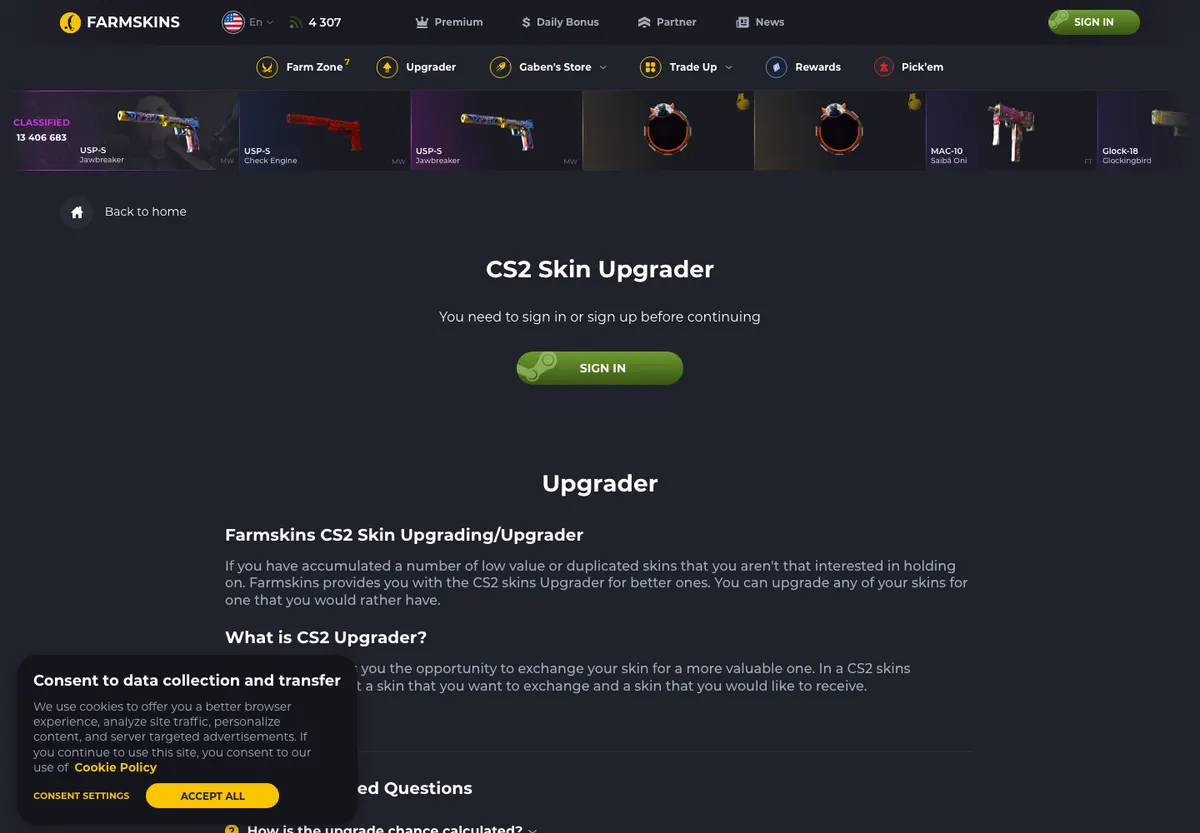
The Upgrader uses inventory items, with optional Bullets, for an attempt at a higher-value target. The terms say a failed attempt still produces a skin, but its value is not guaranteed. That matters when comparing an upgrade with keeping an existing item: the alternative outcome is not necessarily something you would choose or value similarly. Look at the exact inputs and target, not simply the gap between their displayed prices. A previous failed attempt does not make a later attempt due to succeed. The game modes guide separates these mechanics in more detail.
Keep balance, Bullets and Crystals separate
A currency displayed inside an account is not automatically money you can withdraw. Farmskins distinguishes balance credits from Bullets and Crystals, and the terms attach important restrictions to them. Bullets and Crystals have no cash value, cannot be transferred and are forfeited when an account is terminated. The terms also describe balance credits as having no real-money value and being non-refundable, although the refund section contains qualifying and conflicting wording discussed below.
| Currency | Documented uses | Important limitation |
|---|---|---|
| Balance | Pay for cases; Balance-funded case purchases earn 3% cashback in Bullets. | It is not a withdrawable cash balance. |
| Bullets | Eligible cases, Gaben’s Store, Warehouse, Skin Changer differences and optional Upgrader input. | No cash value and no transfers. |
| Crystals | Esports predictions through Pick’em. | No cash value and no transfers. |
Cashback therefore means additional platform currency, not money returned to your bank account. The Daily Bonus is also a separate feature rather than a reason to assume that participation has no cost. Its level system rises through qualifying deposits; Skin2pay deposits do not raise the level, and level-ups add seven days. Consider those mechanics only after deciding whether the underlying spending fits your entertainment budget. Depositing solely to raise a bonus level can leave you committing more than you originally intended.
Start with account readiness, not a deposit
- Check eligibility and set a spending boundaryFarmskins requires users to be at least 20, regardless of parental consent. Read the current country restrictions and consider local law before proceeding. Decide what you can afford to spend without needing any item or balance back.
- Use the official site and Steam OpenIDFarmskins uses Steam OpenID for sign-in. Inspect the address of the Steam authentication page before entering credentials. A Steam-branded image alone does not establish that a page belongs to Steam. Keep account passwords and authenticator codes private.
- Prepare the Steam account for item deliveryThe FAQ requires a saved Trade URL, a Public Steam profile and inventory, and Steam Guard active for 15 days. Check these before funding the account so an existing restriction does not become a surprise at withdrawal.
- Review a payment method and its final checkoutThe normal minimum deposit is $4, and a deposit is required before item withdrawal. Check the payment currency, amount being charged and amount being credited. The FAQ says the minimum may be increased for accounts considered promo abusers.
- Read the selected case or mode rulesConfirm the price, currency, possible items and settlement mechanic before committing. For Farm Zone, check how the match awards items. For an upgrade, check what you are giving up and remember that the higher-value target is uncertain.
- Inspect any withdrawal through SteamWhen requesting an eligible inventory item, review the resulting Steam trade offer against your request. Do not accept an unrelated offer because a chat message claims it is needed to activate, verify or unlock delivery.
These steps separate documented Farmskins requirements from general account-security habits. Saving a Trade URL and meeting the stated Steam Guard requirement are platform requirements; checking addresses and refusing unexpected offers are general precautions. If authentication fails, resolve that before making a payment or trying an unfamiliar workaround. The login guide covers sign-in, while how Farmskins works follows the full account-to-item process.
Compare the full commitment, not just the case price
Published homepage examples include Mil-Spec at $0.29, Syfers Crakow at $0.99, Platinum at $199.99 and Fortune at $888.88. These examples show the breadth of the catalogue, not a promise that a particular price or case will remain available. A low entry price also does not describe the cost of repeated openings or the payment needed to fund an account. The normal $4 deposit minimum is a separate condition from the price of an individual case.
- Check the selected configuration: Ultimate Mode can change a case’s pool, price and Bullet accrual rather than simply adding a label.
- Count the whole session: repeated openings and additional battle rounds can exceed the amount you first intended to commit.
- Treat displayed skin values as platform valuations, not a promise of cash redemption or a price another service must accept.
- Inspect checkout for provider charges or currency conversion, and distinguish the amount paid from the amount credited.
Skin identification matters too. As general CS2 item guidance, the weapon and finish name are only part of an item’s identity. Wear and float describe its condition, rarity describes its classification, and pattern details can affect appearance. A StatTrak version is distinct from a standard version. None of those characteristics guarantees an opening result or makes a platform valuation redeemable in cash. Compare the exact item description rather than assuming that similarly named skins are interchangeable. The glossary explains these terms, and the fees and prices guide separates published figures from checkout questions.
Check the live selection and displayed prices at https://farmskins.com/ before committing funds.
Links to the official site are independent and earn no commission. →
Know how deposits differ from withdrawals
Farmskins names several ways to fund an account, but the withdrawal side is much narrower: only in-game items can leave the platform. A card or crypto deposit does not create a matching card or crypto withdrawal option. The FAQ says most deposit methods process in 5–30 minutes, with method-specific exceptions. Treat those as published processing expectations, not a deadline after which a payment must have succeeded.
| Method | Published detail | Practical check |
|---|---|---|
| Cards via ZEN | Card deposits use ZEN; country restrictions apply. | Confirm eligibility in the payment flow before authorising. |
| BLIK and bank transfer | Both are named deposit methods. | Follow the method-specific instructions and save the reference. |
| Klarna Sofort | Processing can take up to 3 days. | Do not assume the usual 5–30-minute window applies. |
| Coinbase crypto | The FAQ specifies 6 confirmations. | Verify the transfer instructions before sending. |
| Skin2pay | Named as a deposit method; does not raise Daily Bonus level. | Do not expect the same bonus-level treatment as qualifying deposits. |
| G2A/Kinguin gift cards | Named as supported gift-card routes. | Check the exact product and redemption instructions. |
| Steam Wallet | Not accepted. | Steam Wallet funds are separate from Farmskins balance. |
ZEN restrictions and access to Farmskins are separate questions. The terms say ZEN does not accept cards from some countries, including Australia, Austria, the Netherlands, China and Singapore. A payment provider declining a card does not by itself explain the service’s legal availability, and another visible payment method is not proof that participation is permitted. In New Zealand, advertising overseas gambling is prohibited; Farmskins has no confirmed Department of Internal Affairs licence, and the Department was not checked. Separately, Steam Community Market transactions use Steam Wallet funds and have their own fee display; those market mechanics should not be mistaken for Farmskins payment rules.
Receive skins through Steam with fewer surprises
The FAQ says withdrawn items are sent by Steam trade offer, usually within 45 minutes. Delayed delivery can take up to 24 hours, while rejected offers return after 1 hour. These are different situations: an offer waiting to arrive is not the same as an offer you rejected or a transfer affected by Steam restrictions. Keep the request time and any offer reference so you can explain the actual stage of the problem. The deposit and withdrawal guide covers these distinctions in more detail.
Understand what a Trade URL does
As general Steam guidance, a trade offer is a proposed exchange showing the items on each side. A Trade URL helps another party send an offer to the correct account; it is not your password and does not itself approve a transfer. Save the URL from your own Steam account rather than copying an example or someone else’s link. Before accepting, inspect the actual items and what your side is being asked to provide. An expected incoming skin should not distract you from unexpected outgoing items in the same offer.
Distinguish Steam restrictions from site processing
Steam trade holds are a separate platform mechanism that delays delivery and gives compromised-account owners an opportunity to cancel fraudulent trades. Steam Guard’s mobile authenticator provides additional protection for account access and trade confirmations. Farmskins’ stated requirement of Steam Guard active for 15 days does not mean every other Steam restriction disappears. Read any restriction shown by Steam itself, especially after account-security changes. Do not send another item or make an additional payment merely because someone claims it will bypass a hold.
- Match the account and item details to the withdrawal you actually requested.
- Review the offer inside Steam rather than relying only on a message or screenshot.
- Never disclose passwords, recovery information or authenticator codes to someone offering delivery help.
- Pause if an offer introduces an unexplained outgoing item, replacement account or extra payment.
- Use the published support channel when the request and the offer do not match.
These are general Steam safety practices, not a description of an additional Farmskins verification procedure. They matter because a legitimate-looking name or familiar avatar is not sufficient evidence that an offer is the one you requested. If something changes between the site request and the Steam confirmation, stop and investigate rather than accepting first. The trade-safety guide develops this checklist.
Separate random selection from verifiable fairness
Farmskins’ FAQ says an algorithm picks an item. Its terms and FAQ do not describe a public seed-and-hash verification procedure. That distinction matters: saying a result is selected by an algorithm does not give a user enough information to reproduce that result independently. Nor does an animated reel demonstrate that an outcome was generated fairly. Treat the information available before an opening as the basis for your decision, rather than assuming that a familiar interface establishes a particular verification standard.
In general, a provably-fair system commits to hidden information through a cryptographic hash, combines defined inputs and later reveals enough information for the user to check the calculation. The exact algorithm and mapping from its output to an item are essential. Even a correctly verified random result does not remove the house edge or prove that the price is favourable. Outcome verification, published probabilities and item valuation answer different questions. If the live case details do not provide enough information for you to understand the risk, choosing not to open is reasonable. Read the provably-fair explainer for the underlying concepts.
Check availability and keep play within a budget
Farmskins names ARPS LOOP LTD, registered in Cyprus under HE477040, as its operator. The terms do not name a gambling licence. Company registration identifies a corporate entity; it is not equivalent to gambling-regulator approval. Farmskins has no confirmed Department of Internal Affairs licence in New Zealand; the Department was not checked. New Zealand law prohibits advertising overseas gambling. The terms prohibit users from Denmark, Norway, Sweden, Belgium, Russia and Slovakia, alongside sanctioned and FATF-listed countries. Check the current terms and the rules applicable where you are rather than treating a working website or successful payment as permission to participate.
Eligibility can also involve identity checks. The AML policy names Sum and Substance for third-party verification connected with suspicious activity, high-risk jurisdictions and certain transactions. The company says it does not store identity documents itself. Steam sign-in therefore should not be interpreted as a promise that no further verification will ever be requested. Use the official process for any request involving personal information, not documents sent to an unsolicited social-media contact.
For eligible adults aged 20+, the practical boundary is an entertainment budget that does not depend on receiving a valuable skin. Stop when that budget is reached, and do not increase spending to recover an earlier result, reach a bonus level or complete a collection. Repeated checking, concealed spending or using money needed elsewhere are reasons to step away. If opening cases is becoming difficult to control, contact the Gambling Helpline on 0800 654 655 and read the responsible-play guide. A possible item return does not make chance-based play financially safe.
When something stalls, identify the stage first
Farmskins publishes support@farmskins.com and lists live chat and a ticket system in its FAQ. Published support hours are daily 09:00–19:00 UTC, with replies usually within 24 hours. A useful request explains whether the problem concerns authentication, payment crediting, a mode result or Steam delivery. Include the relevant reference and what the interface currently shows, but exclude passwords, full card information and authenticator codes.
- Payment sent but balance missing: record the method, payment time, provider status and transaction reference. Compare the elapsed time with the method’s published processing expectations before sending another payment.
- Item withdrawal unavailable: check the saved Trade URL, Public profile and inventory, Steam Guard requirement and deposit prerequisite. Read the specific account message rather than guessing.
- Trade offer absent or rejected: distinguish a request awaiting delivery from an offer that reached Steam and was declined. Include the request or offer reference when contacting support.
- Battle or upgrade result unclear: preserve the relevant result screen and identify the mode. Ask which rule or valuation was applied rather than assuming another mode’s settlement logic.
Keep related information together so support can follow the sequence without reconstructing it from separate messages. Where the issue concerns Steam’s own account restriction, the message shown in Steam is important context, even if the original request began on Farmskins. The support guide explains what to prepare and which published channel fits the issue.
Before you continue: a short checklist
- You want CS2 items, not support for another game or a cash withdrawal service.
- You meet the age requirement and have checked location restrictions and local rules.
- Your Steam settings meet the published withdrawal requirements.
- You understand the selected mode, its payment currency and the possibility of receiving less value.
- Your spending limit does not depend on cashback, a bonus or a valuable result.
- You know how to inspect a Steam offer and contact the published support channels.
Farmskins questions answered
No matching questions found.
What is Farmskins?
Does Farmskins support Dota 2, Rust or TF2 skins?
Can you withdraw money from Farmskins?
What is the minimum Farmskins deposit?
How long does a Farmskins skin withdrawal take?
What Steam settings are required for withdrawals?
Is Farmskins provably fair?
Does Farmskins accept Steam Wallet funds?
Farmskins is an overseas gambling service. New Zealand law prohibits advertising overseas gambling; its New Zealand licence status is unconfirmed.
Links to the official site are independent and earn no commission. →
This independent guide is for informational purposes and is not affiliated with Farmskins.