









Need help with a Farmskins deposit, Steam login or missing item? Email support@farmskins.com, or use the live chat and ticket options named in the official FAQ. Farmskins publishes daily support hours of 09:00–19:00 UTC and says replies usually arrive within 24 hours. Before contacting the team, collect your account identifier, the relevant payment or trade reference, and a short timeline. This guide explains which details help with each problem, what to check yourself and how to keep sensitive account information out of your request.
Find the right Farmskins contact channel
| Channel | Published details | How to use it |
|---|---|---|
| Support email | support@farmskins.com | Send account, payment, item-delivery or technical questions with the relevant references. |
| Live chat | Mentioned in the official FAQ | Open the official site and use the chat option presented there. |
| Ticket system | Mentioned in the official FAQ | Keep the ticket reference and continue the same conversation when adding evidence. |
| Published phone | +357 97 810 537 | A listed contact number, not a promise of immediate telephone account support. |
| Business email | ads@farmskins.com | Use for business enquiries rather than an individual deposit or withdrawal problem. |
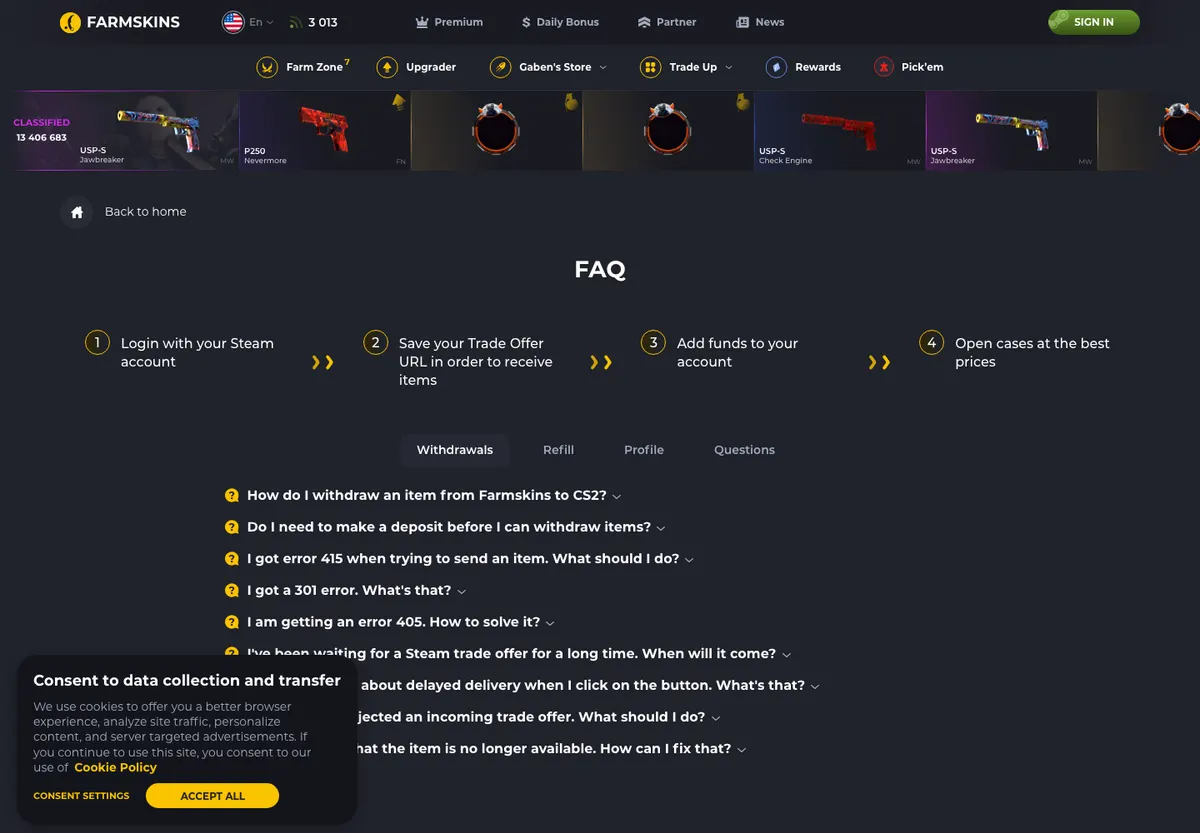
Start from the official Farmskins website or its contact page, rather than a link sent by an unfamiliar account. The FAQ names chat and tickets, but that does not establish that an agent is available in every session or at every hour. For an issue that needs screenshots, transaction references or a detailed explanation, a written conversation also gives you a record to revisit.
The published support schedule is daily, 09:00–19:00 UTC. Convert that window to your local time before expecting a live exchange. The usual reply estimate of 24 hours is not a guaranteed resolution deadline: a response acknowledging a payment problem is different from locating the payment and correcting an account record. Keep the time of your original message so any follow-up has a clear starting point.
Identify where the problem actually sits
A Farmskins action can involve the website, a payment provider and Steam. Identify the last stage that definitely completed before describing the failure. These are general routing suggestions, not a statement that any provider will accept responsibility for another service's systems.
| What happened | Useful starting point | Evidence to preserve |
|---|---|---|
| Payment completed, balance did not change | Farmskins support; payment provider for its own transaction status | Receipt, provider reference, completion time and Farmskins balance history |
| Steam sign-in fails | Check Steam access separately, then report any Farmskins-specific failure | Exact error, affected page and whether direct Steam access works |
| Item requested, no trade offer | Farmskins support after checking withdrawal requirements | Item details, withdrawal time and current status |
| Steam shows a restriction or hold | Read the Steam notice and use Steam's own help route where necessary | Restriction wording and any displayed end date |
| Case, upgrade or reward record looks wrong | Farmskins support | Action reference, selected mode, before-and-after records |
| Unfamiliar trades or account changes | Secure Steam access and notify Farmskins about affected platform activity | Unrecognised events and their timestamps |
Prepare a request support can investigate
The checklist below is practical preparation, not a published Farmskins ticket form or a mandatory document list. Its purpose is to make the problem identifiable without exposing more information than necessary. A useful request separates what you directly observed from what you think caused it.
- Identify the account without sharing accessInclude the Steam profile link associated with your Farmskins account and any account identifier displayed by the site. If you use several Steam accounts, check which one was active during the transaction. A profile link identifies an account; a password, session cookie or authentication code can give someone access and does not belong in a support message.
- Name the action and the expected resultSay whether you deposited, requested an item, opened a case, used the Upgrader or changed an inventory item. Describe the expected result in plain language, then the actual result. For example, distinguish a payment marked completed by its provider from a payment merely submitted at checkout.
- Build a short timelineRecord when the action began, when the provider or website changed status, and when you last checked. Include your time zone or convert the times to UTC. If the screen refreshed or your connection dropped, place that event in the timeline rather than assuming it caused the problem.
- Attach the relevant reference and screenshotUse the transaction, order, case, battle or trade identifier if one is displayed. Capture the full error wording and enough surrounding context to identify the page. Keep the original receipt or image privately, and send a redacted copy that hides unrelated transactions, payment credentials and personal information.
- Explain your checks and request a specific next stepList checks already completed, such as reviewing Steam trade offers or confirming the payment status with its provider. Finish with an answerable question: ask support to locate the deposit, explain the recorded item status or identify the remaining withdrawal requirement. Avoid making several unrelated problems compete in the same opening message.
Separate sign-in trouble from account compromise
When Steam works but Farmskins does not
Farmskins uses Steam OpenID for login. As a general troubleshooting step, check whether you can access Steam directly through its official service before retrying the Farmskins sign-in flow. Note whether the failure happens before Steam authentication, during the return to Farmskins or after the account page loads. Those are different symptoms, even if they all feel like a login problem.
You can also test a current browser or a clean browser session to help isolate a local issue. Record any difference without treating it as proof of a site fault. Before clearing local data, save the error wording and useful references. If you reach an account that appears unfamiliar, compare its linked Steam profile before making another payment or item request. See the Farmskins login guide for a more focused sign-in checklist.
When activity is unfamiliar
An unexpected trade, changed account detail or unsolicited authentication prompt calls for account-security action, not repeated sign-in attempts through a message link. Use Steam's official security and recovery tools to review access and secure the account. Separately, tell Farmskins which platform actions you do not recognise, with their times and references. Do not assume that a Farmskins conversation also opens a Steam Support case.
These are general security precautions, not a description of a Farmskins recovery guarantee. An avatar, display name or claim to be a moderator does not authenticate a helper. Do not approve a trade merely because someone calls it an account check. Preserve suspicious messages and verify any requested action through the official support route. The trade-safety guide explains how account access and item-transfer risks differ.
Trace a missing, pending or rejected deposit
Start with the payment's actual status. A bank notification, pending card authorisation and completed provider receipt are not interchangeable evidence. As general payment guidance, record exactly what the provider calls the transaction and whether the Farmskins checkout returned a success message. Do not label a payment completed solely because an amount temporarily appears unavailable in your banking app.
Farmskins says most deposit methods process within 5–30 minutes. Its FAQ separately gives Klarna Sofort a period of up to 3 days and says Coinbase crypto payments require 6 confirmations. Compare your payment with the applicable method rather than applying the shortest estimate to every transaction. These are published processing expectations, not a promise that every payment will complete within the same window.
- For card or bank-related payments, provide the payment method, provider reference, amount, currency, timestamp and status. Hide full card and bank details.
- For crypto, preserve the transaction hash, network, destination shown by checkout and confirmation status. A transaction hash is evidence; a wallet seed phrase is not required to inspect it.
- For a skin-based deposit, retain the provider's order reference and relevant Steam trade record. Distinguish an accepted Steam offer from credit appearing on Farmskins.
- For a gift card, describe the provider and redemption error. Do not post the redeemable code publicly or include it in an unverified message.
- If you see more than one charge, list the separate references and statuses. Do not combine them into a single estimated total.
The FAQ names card payments through ZEN, BLIK, bank transfer, Klarna Sofort, Coinbase, Skin2pay and G2A/Kinguin gift cards. It also says Steam Wallet is not accepted. If your evidence only shows a Steam Wallet purchase, explain that distinction before asking Farmskins to locate a deposit. The normal minimum deposit is $4, but the FAQ says that minimum can be raised for promo abuse; do not assume the standard figure describes every account's checkout.
Avoid sending another payment just to test whether the missing one will appear. Instead, ask support whether the first reference reached its system and what evidence remains necessary. If checkout rejected the attempt, preserve that error before retrying. An unavailable method or provider rejection should not be bypassed by misrepresenting your identity or location. More background is available in the deposit and withdrawal guide.
Check an item withdrawal from request to Steam
Farmskins supports CS2 items and sends withdrawals through Steam trade offers. It does not offer cash withdrawal. A request for a skin, a Steam offer and an accepted trade are separate stages; tell support the last one you can confirm. A missing bank payout is therefore not the same support issue as a missing item offer.
| Requirement or timing | Published information | What to tell support |
|---|---|---|
| Steam Trade URL | A saved Trade URL is required | Whether the saved link belongs to the Steam account you are checking |
| Visibility | Steam profile and inventory must be Public | Whether both settings are currently public |
| Steam Guard | Must have been active for 15 days | Any Steam notice indicating that this condition is not met |
| Prior deposit | A deposit is required before item withdrawal | The relevant deposit reference if eligibility is questioned |
| Delivery timing | Usually within 45 minutes; delayed delivery can take up to 24 hours | Request time, current status and whether an offer exists |
| Rejected offer | The FAQ says rejected offers return after 1 hour | Offer reference, rejection time and whether the item has returned |
Check Steam's incoming offers directly rather than relying only on a browser notification. A Trade URL tells the sender where an offer can be addressed; saving it does not itself complete a transfer. If you changed the link after requesting the item, tell support when that happened instead of repeatedly replacing it while the request is being investigated.
Read the offer and any Steam restriction separately
As general Steam guidance, a trade offer sets out the items proposed on both sides. Inspect those contents before accepting; a familiar-looking sender name is not enough. Confirm that the offer matches the action you requested. If an unfamiliar person asks you to send an item elsewhere to repair a withdrawal, stop and verify the instruction through the official support conversation.
Steam trade holds are distinct from Farmskins processing. A hold means Steam retains items for a period before delivery, giving an owner time to react to an unauthorised trade. Steam Guard's mobile authenticator provides additional account and trade-confirmation protection, but that general function does not replace Farmskins' published withdrawal requirements. If Steam displays a restriction, quote it accurately and preserve any stated end date rather than assuming the website can remove it.
For a useful item-delivery ticket, include the full skin name and displayed variant, withdrawal reference, request time, offer status and any Steam message. Say whether the item remains in your Farmskins inventory, appears in a pending offer or has arrived in Steam. Those observations help separate a website display problem from an offer that has not yet been accepted.
Question a case result, upgrade or reward clearly
Name the feature before describing the discrepancy. Farmskins case opening selects an item from a predefined loot table; the Upgrader uses input items and can also use Bullets; Skin Changer exchanges an inventory skin with differences handled in Bullets. A missing result, an unexpected item and an unexpected currency change are therefore different questions. Include the action reference and the settings shown at the time, where available.
For a case, preserve its name, the selected mode, the displayed cost and the recorded item. For an upgrade, identify the inputs, target and recorded outcome. For a Farm Zone battle, include the match reference and the round or result you dispute, rather than describing only the final inventory. Ask which rule was applied to that specific action instead of assuming every mode settles identically.
Chance-based case openings and upgrades are 20+ in New Zealand and carry a house edge. An unwanted or lower-valued result is not, by itself, evidence of a technical fault. Farmskins' FAQ describes an algorithm selecting the item; its FAQ and terms do not provide a public seed-and-hash verification procedure. If your question concerns result verification, ask what record or explanation support can supply. Do not assume a separate provably-fair verifier exists. See the provably-fair explainer for the distinction.
For a Daily Bonus level question, include the deposit method as well as its reference: the published rules tie level increases to depositing but exclude Skin2pay deposits from increasing the level. For other reward questions, identify whether the disputed entry concerns Balance, Bullets, Crystals or an item. The terms treat those categories differently, so a screenshot of the relevant history is more useful than saying the account total is wrong.
Handle verification and refund questions carefully
Verify the identity-check route before uploading documents
Farmskins' AML policy names Sum and Substance as its third-party verification provider. The policy connects checks with suspicious activity, high-risk jurisdictions and certain transactions; it does not mean every support enquiry requires identity documents. The company states that it does not store those documents. Treat that as the operator's published statement, not a reason to send copies through an unverified channel.
If verification blocks an action, ask which step remains incomplete and where the authenticated submission flow is located. For a failed upload or session, provide the visible error and reference rather than attaching your identity document to an ordinary troubleshooting email. Do not change personal details to force a match or follow document-upload links from unsolicited messages claiming to offer faster approval.
Ask for written clarification on an unused-payment refund
The refund wording needs care. Farmskins' terms describe a refund request within 14 days of payment when funds are unused, but the same section also says purchases are final and non-refundable. That is not a basis for promising an automatic refund. If this concerns your payment, contact support with the receipt, payment date and an accurate statement of whether any credited funds have been used.
Ask support to confirm how those terms apply to the specific transaction and to explain the decision in writing. If you are seeking treatment as an unused payment, avoid further spending while asking for clarification. The terms also say Bullets and Crystals have no cash value and are not transferable. A refund enquiry is separate from routine withdrawal: Farmskins does not provide a way to withdraw an account balance as cash. The fees guide covers related balance and currency distinctions.
Use a concise support-message template
Adapt the following outline to the issue. Leave out fields that do not apply, and do not invent a transaction reference if none was displayed. A short, complete opening message usually communicates the problem more clearly than a long account of every earlier visit.
- Subject: [deposit, withdrawal, login or result issue] — [relevant reference]
- Account: [linked Steam profile or displayed account identifier].
- Action and time: [what you did, when, and the time zone].
- Expected result: [the specific outcome you expected].
- Actual result: [current status and exact error wording].
- Reference: [payment, order, trade, case or match identifier, if available].
- Checks completed: [relevant checks, with their results].
- Attachments: [redacted receipt, status screenshot or error image].
- Requested next step: [locate the transaction, explain the status or confirm the remaining requirement].
Follow up with a clear record
If you have not received a response around the usual 24-hour reply estimate, check your spam folder, ticket history and the address used for the request. Then follow up in the existing thread where possible. Quote the case reference, the original contact time and any genuinely new evidence. Repeatedly submitting the same description through different channels can fragment your own record, even when the underlying issue is unchanged.
When an answer does not resolve the problem, identify the unanswered point precisely. If support says an offer was sent, ask for the offer reference and compare it with your Steam history. If it says a payment was not received, ask which provider reference should be traced. Keep replies, receipts and status changes together. Once the issue appears resolved, verify the account or item state directly rather than relying only on an email notification.
Ask for help stopping play without another deposit
If you want to stop using chance-based features, say that clearly in your support request. Ask what account restrictions or closure options are available and request confirmation of what has actually been applied. Do not assume that asking a question automatically blocks access, and do not make another deposit to test a restriction. In New Zealand, the minimum age is 20, regardless of parental consent.
Before requesting closure, ask how it affects any unresolved payment or item issue. The terms say Bullets and Crystals are forfeited on account termination. If spending feels difficult to control or you are trying to recover losses through more play, pause and seek independent support rather than waiting for a technical ticket to change the situation. The responsible-gambling guide covers budgets, warning signs and finding appropriate local help.
Farmskins support FAQ
No matching questions found.
What is the Farmskins support email?
Does Farmskins offer round-the-clock live support?
Should I contact Steam or Farmskins about a missing skin?
Can support withdraw my balance to a bank account?
Should I send my password or Steam Guard code to prove ownership?
What if I cannot find a transaction reference?
Can I publish my ticket to get help?
Farmskins’ published support options are at https://farmskins.com/.
Links to the official site are independent and earn no commission. →
This independent guide is for informational purposes and is not affiliated with Farmskins.