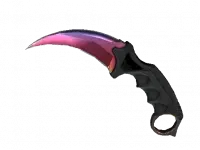

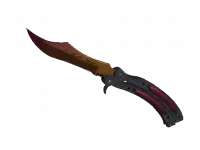
Butterfly Knife | Fade comes from the Operation Breakout Weapon Case, has a float range of 0.00 to 0.08, and appears only in Factory New or Minimal Wear. Getting this exact finish is different from getting any knife: published rare-special odds are not its individual drop chance. Farmskins offers CS2 case opening, an Upgrader and Steam item withdrawal, but those features do not establish current availability of this particular skin. Below, compare case drops, updated trade-up rules and upgrading before drawing conclusions. Chance-based play is 18+ and carries a house edge.
Farmskins is not available to players in Australia. This page provides information only; for adults, where lawful.
Links to the official site are independent and earn no commission. →
What is Butterfly Knife | Fade?
Butterfly Knife | Fade is a Covert knife finish associated with the Operation Breakout Weapon Case, released on 1 July 2014. Its full name matters: Butterfly Knife identifies the knife model, while Fade identifies the finish. A different Butterfly Knife finish is not an interchangeable result if Fade is your specific goal. Likewise, a Fade finish on another knife model is a different item, even when a listing uses similar descriptive language.
- Origin
- Operation Breakout Weapon Case[↗]
- Rarity
- Covert knife; obtained through the rare-special item category when unboxing[↗]
- Float range
- 0.00 to 0.08[↗]
- Wear conditions
- Factory New and Minimal Wear[↗]
Separate the item's identity from its route into your inventory. Opening a case means accepting a random outcome. A trade-up contract consumes eligible inputs and produces an outcome from an eligible pool. Acquiring an existing, specifically inspected copy through a direct transaction avoids random item selection, though account security and transaction checks still matter. Farmskins upgrading is another chance-based route, not a way to order a particular knife for a fixed purchase price.
Where does it come from, and can it drop?
Yes. Butterfly Knife | Fade is a possible rare-special result from the Operation Breakout Weapon Case. That answers whether it can come from a case, but not how likely this exact knife and finish are. The case's identity and its eligible contents are essential. Seeing a knife symbol, a gold-colored result category or a valuable headline item on another case does not establish that Butterfly Knife | Fade is included.
- For the original game-case route, identify the Operation Breakout Weapon Case rather than relying on a knife image.
- For a third-party case, inspect that case's own item list. A similar name does not make it the same product as Valve's case.
- Confirm the full target name. Another Butterfly Knife finish does not satisfy a Fade-specific search.
- Distinguish a case containing the knife as a possible result from a listing offering an existing copy.
- Do not interpret an expensive case or prominent promotional image as evidence of a better item-specific chance.
Farmskins cases are separate virtual products with predefined loot tables. Its terms say an opening awards an item from the selected case's pool. Consequently, the Operation Breakout association does not prove that a Farmskins case currently contains this knife, and Valve-case rarity figures should not be applied to a Farmskins opening. The Farmskins cases guide describes the platform's case contents and conditions.
Published case odds: category versus exact knife
The figures below describe selected general game-case rarity categories, not Farmskins odds and not a complete probability table for Butterfly Knife | Fade. CSGOSKINS.GG reports the Mil-Spec and Restricted figures with attribution to a Valve announcement. CSGODatabase lists the Covert and rare-special figures, including separate StatTrak figures. Keep those labels intact instead of combining them into a new, unsupported calculation.
| Category | Published figure | Meaning for a Fade search |
|---|---|---|
| Mil-Spec | 79.92% | A weapon-skin rarity figure, not a knife chance. |
| Restricted | 15.98% | Another weapon-skin tier, not progress toward a knife. |
| Covert, normal drop | 0.64% | Do not use this weapon-tier figure as the chance of a Covert knife. |
| Covert, StatTrak drop | 0.064% | A general StatTrak rarity figure, not a Butterfly Fade probability. |
| Rare special, normal drop | 0.26% | Covers the eligible special-item category, not this exact finish. |
| Rare special, StatTrak drop | 0.026% | Does not establish item-specific StatTrak availability or odds. |
The important distinction is between entering a category and receiving the exact item you want. Butterfly Knife | Fade is described as Covert, but its unboxing route belongs to the rare-special category rather than the ordinary Covert weapon-skin tier. Even the rare-special figure does not tell you how that category is divided among eligible finishes or variants. An exact Butterfly Knife | Fade probability cannot be calculated from these figures alone without further assumptions.
Can you craft it with a trade-up contract?
The answer needs the updated contract rules. The traditional trade-up contract and the Covert-to-knife route are different mechanisms. Advice saying that trade-ups can never produce knives ignores the change introduced on 22 October 2025. Conversely, the existence of a knife-output contract does not mean any eligible-looking inputs can produce Butterfly Knife | Fade. Input eligibility and the resulting output pool still determine whether the target is possible.
| Contract route | Inputs | Output rule | Implication |
|---|---|---|---|
| Traditional contract | 10 skins of the same grade, all normal or all StatTrak | 1 skin of the next grade from an input collection | Not a direct Butterfly Knife | Fade recipe. |
| Updated Covert contract | 5 Covert skins | 1 knife or gloves from a collection represented by the inputs | A knife-output route exists; the exact eligible pool must include the desired item. |
| Updated StatTrak Covert contract | 5 StatTrak Covert skins | 1 StatTrak knife | Does not by itself establish a Butterfly Knife | Fade recipe or its individual chance. |
Understand what the traditional contract excludes
Under the traditional contract, inputs must share a grade and cannot mix normal skins with StatTrak skins. Collections can be mixed, but the output still comes from a collection represented by the inputs. Souvenir skins, knives and Contraband skins are excluded as inputs; Covert skins are also excluded from that older contract route. The newer Covert mechanism is a separate exception, not permission to disregard the traditional contract's restrictions.
Confirm the exact output pool before buying inputs
For Butterfly Knife | Fade, treat the updated rule as a possible route only after confirming that the current eligible output pool includes the exact item. Its Operation Breakout case origin is not, by itself, a complete contract recipe. The general contract rules do not establish an item-specific input combination or probability. Do not buy a basket of Covert skins simply because a seller labels it a Butterfly trade-up, and do not confuse an eligible knife outcome with certainty of receiving Fade.
A Steam trade-up also has nothing to do with a Farmskins upgrade attempt. They use different eligibility rules and outcome mechanisms. Descriptions such as craft, exchange and upgrade are often used loosely, so identify which system a guide actually describes before following it. For another example of why acquisition routes must be checked item by item, see the AWP | Dragon Lore guide.
Wear, float, patterns and StatTrak
Butterfly Knife | Fade has a float range of 0.00 to 0.08 and is available only in Factory New and Minimal Wear. Those are the supported condition choices for this finish. A listing describing this exact item in another wear category should trigger a careful identity check. Float is a numeric wear attribute; the condition name is a broader label. Neither should be substituted for inspecting the individual item that will actually be transferred.
Separate pattern claims from wear claims
In general CS2 terminology, float and pattern are different attributes. Float concerns wear; pattern terminology concerns the finish's appearance or layout. A low-float claim therefore does not establish a particular pattern ranking, and a seller's descriptive label is not a substitute for an inspectable item. This guide does not assign seed rankings or Fade-coverage figures. Evaluate such claims against the actual copy rather than assuming that every item sharing the same market name looks identical.
- Check the complete item name before comparing appearance.
- Read the actual condition and float rather than relying on a cropped screenshot.
- Treat pattern descriptions as claims requiring inspection, not automatic quality grades.
- Compare the inspected item with the item selected in the final transaction.
- Keep another knife's Fade terminology separate; the Karambit and Butterfly Knife are different models.
Check StatTrak separately
The general StatTrak case figures and StatTrak contract rule do not confirm the availability of a particular Butterfly Knife | Fade variant. Confirm that property in the exact item description and current eligible output pool; do not infer it from a general knife statistic or an image. If you are comparing models rather than variants, the Karambit | Fade and Doppler guide keeps that separate search in context.
Upgrading toward this skin on Farmskins
Farmskins documents an Upgrader in which input items, optionally supplemented with Bullets, are exchanged in an attempt to obtain a higher-value target skin. A failed attempt still awards a skin, but its value is not guaranteed. This is a chance-based feature, not a direct purchase. The documentation does not establish that Butterfly Knife | Fade is currently selectable.
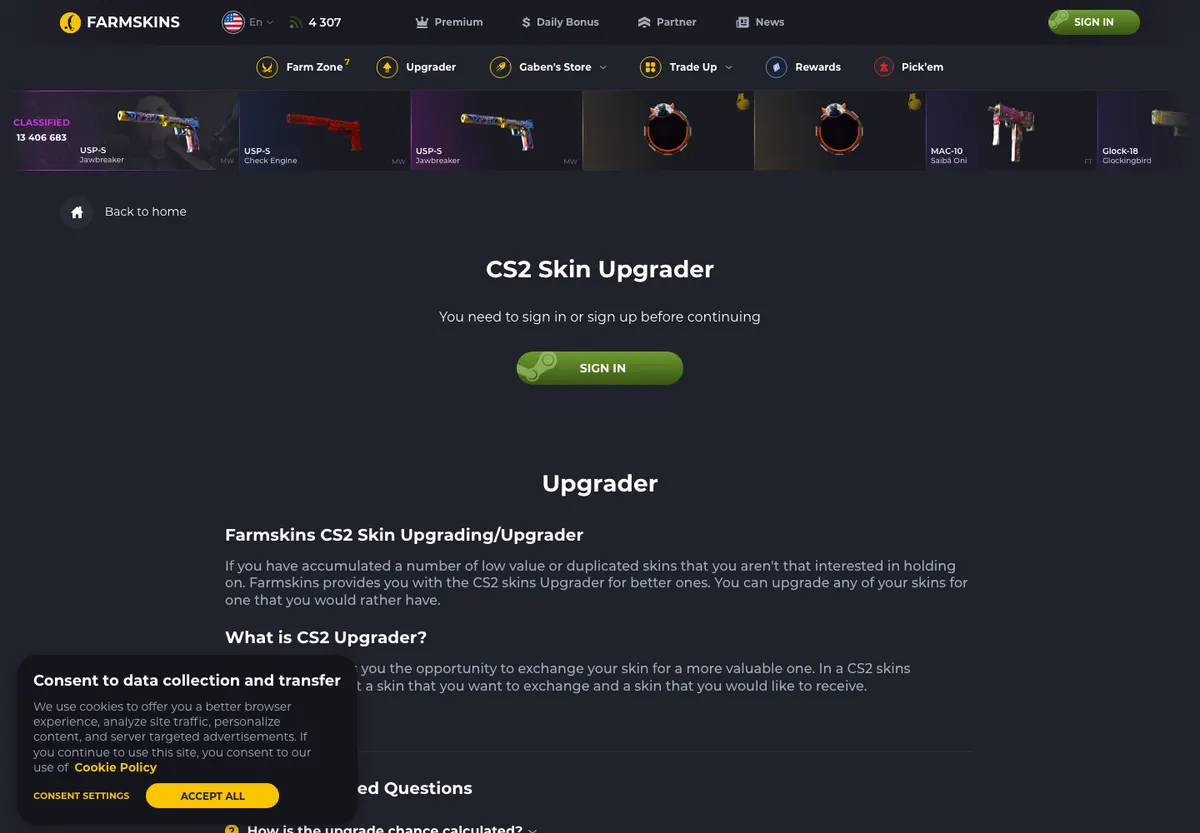
The official Upgrader screenshot illustrates the interface, not live availability of this knife or a standing offer. The Farmskins game-modes guide explains how upgrading differs from case opening and Farm Zone battles, while the Farmskins review brings the wider platform conditions together.
A larger value gap means a lower chance
In upgrade-style games generally, items or balance valued below the desired target are staked. As the target's value rises relative to the stake, the stated success chance falls. The operator's margin creates a house edge, meaning a long-run expected loss for the player rather than a sustainable acquisition advantage. This is an explanation of the game format, not a Farmskins pricing formula.
Farmskins is not available to players in Australia. This page provides information about the Upgrader only.
Links to the official site are independent and earn no commission. →
No timing pattern, sequence of previous results or choice of ritual changes stated odds. Receiving a skin after failure also does not mean the original stake has been preserved. Judge that outcome by the actual returned item and the terms, not the presence of a result animation. Set an entertainment budget and a stopping point before considering chance-based play, and do not use further attempts to recover earlier losses. The responsible-play guide explains when stepping away is the better next action.
Keep credits, fees and fairness distinct
Bullets are platform credits, not cash: Farmskins says they have no cash value and cannot be transferred. Do not treat a Bullet balance as money available for withdrawal or use it to imply an independently established price for this knife. Platform valuations, game probabilities and any transaction charges answer different questions. The Farmskins fees guide describes fees; this page does not explain how to fund an account.
Provably fair describes a verification approach in which disclosed cryptographic information can let a player check a result. It does not make a favorable outcome likelier or remove a house edge. Farmskins' terms and FAQ do not provide a seed-and-hash verification procedure; the FAQ describes an algorithm selecting the item. Do not assume that an animated roll supplies independent verification. The provably-fair guide explains the distinction between an outcome claim and a result you can check yourself.
Safer ways to obtain and receive a tradable copy
If your priority is owning a specific inspected copy, a known-item transaction avoids the uncertainty of random selection. It does not eliminate phishing, item substitution or account restrictions. The Steam Community Market operates with Steam Wallet funds and displays fee lines in its purchase dialog; that is different from cash withdrawal. A Steam trade offer is a proposed exchange specifying the items on each side. Read the actual offer rather than trusting the conversation that preceded it.
- Choose between a known copy and a random attemptDecide whether the objective is the exact knife or the entertainment of a chance-based game. Keep those goals separate so an unsuccessful opening does not automatically become a reason to spend again.
- Inspect the item before acceptingCheck the model, Fade finish, condition and item details against your intended copy. Return to the final offer after inspecting; a screenshot sent in chat is not the transfer itself.
- Secure the Steam accountUse Steam's genuine sign-in and confirmation flow. Farmskins documents Steam OpenID login. Never provide an authenticator code or recovery information to a person claiming that a special knife-delivery check requires it.
- Distinguish a trade hold from platform processingSteam can hold items before delivery as an account-protection measure. A hold is not evidence that paying another party will speed up delivery. Check the restriction shown by Steam and distinguish it from a pending platform request.
- Check the final contents and counterpartyBefore confirming, review what leaves your inventory and what arrives. Stop if an unexpected offer, replacement item or additional deposit request does not match the transaction you initiated.
For Farmskins withdrawal specifically, the FAQ lists a saved Trade URL, a Public Steam profile and inventory, Steam Guard active for 15 days, and a prior deposit requirement. These are Farmskins conditions, not universal Steam requirements. The trade-safety guide explains account and offer checks.
Resolve common problems without taking another gamble
| Situation | What it means | Useful next step |
|---|---|---|
| The knife is not in the Farmskins target selector | An Upgrader's existence does not establish current availability of every skin. | Do not assume the target will appear. The official interface or support can confirm availability. |
| A trade-up guide promises this exact result | An eligible output pool is not a promise of a particular knife or finish. | Confirm current input eligibility and exact possible outputs before acquiring or consuming inputs. |
| A listing shows an unsupported wear category | Butterfly Knife | Fade is documented only in Factory New and Minimal Wear. | Recheck the full item identity and inspect the actual copy rather than accepting the listing text. |
| A Farmskins withdrawal is pending | The FAQ says delivery is usually within 45 minutes; delayed delivery can take up to 24 hours. | Check the Trade URL, account requirements and Steam offer status. Keep the request details for support. |
| An offer was rejected | The Farmskins FAQ says rejected offers return after 1 hour. | Review the inventory and request status instead of paying a stranger to recreate or release the offer. |
When contacting support, explain whether the issue concerns target selection, the platform inventory or an actual Steam offer. Include the relevant item name and transaction details, but not passwords or authentication codes. Farmskins publishes support@farmskins.com and mentions chat and tickets in its FAQ. The support guide explains what to prepare. Another upgrade attempt cannot repair a withdrawal problem or validate an earlier result.
Before you commit: a short checklist
- Confirm Butterfly Knife | Fade, not merely a Butterfly Knife or another Fade model.
- For unboxing, distinguish the Operation Breakout case from third-party case products.
- Treat rare-special odds as category figures, not an exact Fade probability.
- For crafting, distinguish the traditional contract from the updated Covert route and confirm the output pool.
- Inspect the actual copy, its Factory New or Minimal Wear condition, and its float.
- For Farmskins, note that target availability, displayed chance, withdrawal conditions and applicable terms may vary; Farmskins is not available to players in Australia.
- Keep chance-based play to adults, lawful locations and an entertainment budget you can afford to lose.
Butterfly Knife | Fade FAQ
No matching questions found.
What case does Butterfly Knife | Fade come from?
Is the Butterfly Knife | Fade drop chance 0.26%?
Can you craft Butterfly Knife | Fade with a trade-up?
Can the traditional trade-up contract give this knife?
What is the Butterfly Knife | Fade float range?
Does a lower float prove a better Fade pattern?
Can I upgrade directly to Butterfly Knife | Fade on Farmskins?
Do failed Farmskins upgrades preserve my original value?
How do I withdraw an item from Farmskins?
Farmskins is not available to players in Australia. This page provides information only.
Links to the official site are independent and earn no commission. →
This independent guide is for informational purposes and is not affiliated with Farmskins.