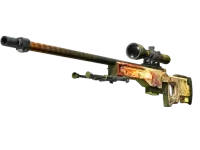
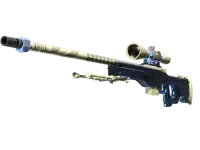

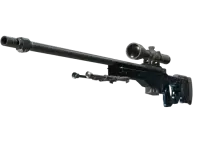
AWP | Medusa is a Covert AWP from the Gods and Monsters Collection, introduced with Operation Bloodhound. It is not obtainable from any container, so opening ordinary CS2 cases is not a route to this skin. Farmskins offers CS2 case opening, an Upgrader and Steam item withdrawals, but using its Upgrader to target Medusa depends on current eligibility and availability. Below, separate collection provenance, trade-up crafting and chance-based upgrading before choosing your next step. Chance-based play is 18+ and carries a house edge.
Farmskins' UK Gambling Commission licence has not been confirmed. Check the current catalogue only if the service is legally available to you; a Medusa target is not confirmed.
Links to the official site are independent and earn no commission. →
What is AWP | Medusa?
Medusa is a CS2 weapon finish for the AWP, with Covert rarity and membership in the Gods and Monsters Collection. Its documented introduction was with Operation Bloodhound on 26 May 2015. Those details establish its identity and historical origin; they do not establish a current case-opening route, an available listing or a particular wear condition.
The distinction between rarity and availability matters especially here. Covert describes the item's place in the skin grading system. It does not mean every container with Covert drops can produce Medusa. Likewise, collection membership is not interchangeable with a case name. A collection groups finishes; a container has its own defined contents. Start with the exact item's source, not the colour of its rarity label.
| Detail | Documented information | Practical meaning |
|---|---|---|
| Weapon and finish | AWP | Medusa | Check the full item name rather than relying on a thumbnail. |
| Collection | Gods and Monsters | Collection membership matters when assessing a potential trade-up. |
| Rarity | Covert | A rarity label does not make the skin part of ordinary case contents. |
| Introduction | Operation Bloodhound, 26 May 2015 | Historical provenance is not evidence of an active operation reward. |
| Container availability | Not obtainable from any container | Ordinary case opening cannot produce Medusa. |
Where Medusa comes from—and why cases cannot drop it
Medusa's origin is the Gods and Monsters Collection, not a weapon case. The item listing explicitly identifies it as unobtainable from containers. Searching for a Medusa case key therefore starts from the wrong assumption. Its Operation Bloodhound association explains when the finish entered the game; it should not be read as instructions for obtaining a fresh operation drop today.
A third-party site's virtual case is a separate product from a Valve container. Farmskins describes its cases as predefined item pools from which an algorithm selects an item. That does not turn Medusa into an official CS2 container drop. Nor does the existence of Farmskins cases establish that Medusa appears in any current pool. Inspect the specific product's contents rather than transferring assumptions between platforms.
- For an official CS2 container, Medusa is not an obtainable result.
- For a trade-up, examine the eligible input collections and the resulting output pool.
- For an existing Steam item, inspect the actual copy and the proposed transaction.
- For a Farmskins case or upgrade, check the current contents or target list; historical collection membership does not establish platform availability.
This source-first approach also helps when comparing famous finishes. Do not assume that AWP | Dragon Lore, AWP | Gungnir and Medusa share acquisition rules merely because they use the same weapon. Consult each item's collection, container and contract details independently.
Published case odds: what an opening actually means
Published ordinary-case rarity figures help explain why a rarity chance is not an individual-skin chance. They describe categories within applicable case-opening systems, not every skin carrying that grade. The figures below are general CS2 case information, not Farmskins probabilities, and none supplies a Medusa drop route.
| Rarity category | Published normal-drop figure | What it means for Medusa |
|---|---|---|
| Mil-Spec | 79.92% | A lower rarity category; not a Medusa outcome. |
| Restricted | 15.98% | A different rarity category; not a Medusa outcome. |
| Covert | 0.64% | A category figure, not a chance of Medusa; Medusa is absent from container drops. |
| Rare special item | 0.26% | A knife or glove category, not an AWP finish. |
For an individual opening, only outcomes actually included in its pool can be selected. A Covert result would therefore need to come from that container's own eligible contents. Applying the Covert percentage directly to Medusa ignores the necessary eligibility check. The same problem arises when someone applies ordinary Valve case figures to an unrelated third-party virtual case.
Can you craft Medusa with a trade-up contract?
A standard trade-up contract takes 10 skins of the same grade and produces 1 skin of the next grade from a collection represented by the inputs. The inputs must be all normal or all StatTrak. Mixing collections is allowed, but it changes the collections that can contribute outcomes. This is an in-game crafting mechanism, not a Farmskins upgrade.
Medusa's Covert grade and Gods and Monsters membership make the relevant route a contract using eligible skins from the grade immediately below Covert, with its collection represented. It can be a potential collection-based output under those rules. That is not permission to combine arbitrary skins and select Medusa afterwards: the eligible inputs determine the possible results, and a valid contract must be checked before submission.
Validate the inputs before committing skins
- Check the contract typeUse the standard next-grade mechanism when evaluating a Covert weapon-skin output. Do not confuse it with the separate Covert-to-special-item mechanism.
- Check grade and variant compatibilityThe standard contract requires 10 inputs of the same grade, with normal and StatTrak inputs kept separate. Souvenir items, knives and Contraband items are excluded from this route.
- Check collection representationFor Medusa to be relevant, eligible Gods and Monsters inputs must contribute to the contract. Unrelated collections do not create a Medusa route merely by sharing an input grade.
- Inspect every possible outputConfirm that Medusa appears in the eligible outcome set. If collections are mixed, assess the other possible results rather than treating the desired skin as the contract's selected output.
- Accept the loss of the inputsA completed contract consumes the submitted skins. Evaluate whether you would accept the alternative outcomes before submitting, rather than deciding only after seeing the result.
A proposed recipe should explain both why Medusa is eligible and what else can happen. A screenshot showing expensive inputs is not an output analysis. Neither is a seller's description of a collection-themed bundle. If the explanation cannot connect the input grades and collections to the displayed outcome pool, pause before acquiring or consuming those inputs.
Why older Covert-input advice needs context
Older descriptions exclude Covert skins from the standard 10-input contract. A separate rule introduced on 22 October 2025 allows 5 eligible Covert skins to produce 1 knife or glove from a collection represented by the inputs; 5 StatTrak Covert skins produce 1 StatTrak knife. That mechanism produces a special item, not Medusa. Its existence does not change Medusa's collection origin or make it a container drop.
Wear, float, patterns and StatTrak: inspect the copy
Wear and rarity answer different questions. Rarity identifies the item's grade; float is a numerical wear attribute, and a wear label groups an item into a condition category. A lower float generally represents less wear, but a finish's appearance still needs visual inspection. Do not assume that a rarity label tells you how clean an individual copy will look.
Medusa's exact float limits, available wear categories, pattern premiums and StatTrak availability are not confirmed here. This guide therefore does not list a float interval, promise a particular condition from crafting or describe a StatTrak Medusa as an available variant. Check the actual item's Steam attributes before relying on a listing title, filter or third-party description.
| Attribute | Useful check | Avoid assuming |
|---|---|---|
| Wear label | Read the condition attached to the actual item. | That every condition exists for this finish. |
| Float | Compare the item's recorded attribute with its inspected appearance. | That this guide provides a Medusa-specific float range or crafting formula. |
| Pattern | Inspect the copy itself and verify any seller claim. | That a pattern number proves rarity, a premium or better upgrade odds. |
| StatTrak | Confirm the exact variant in Steam's item details. | That generic StatTrak case statistics establish a Medusa variant. |
| Presentation | Use an in-game inspection where available. | That a cropped image identifies the item being transferred. |
A pattern identifier is item data, not a signal for when to open a case or attempt an upgrade. Similarly, attractive screenshots do not establish scarcity or a transferable premium. Keep the questions separate: identify the finish, inspect its condition, verify the proposed copy, then decide whether the transaction is acceptable. None of those checks creates an advantage in a chance-based game.
Farmskins' UK Gambling Commission licence has not been confirmed. Check current contents and targets only if the service is legally available to you; do not assume Medusa is available.
Links to the official site are independent and earn no commission. →
Safer ways to obtain and receive a tradable copy
If your goal is a particular Medusa rather than the experience of a random outcome, assessing an existing item removes uncertainty about which finish you receive. It does not remove transaction risk. Where a valid Steam Community Market listing is available, inspect that listing; where trading directly, inspect the item and both sides of the Steam offer. Availability must be checked at the time.
The Steam Community Market uses Steam Wallet funds and displays transaction fee information in its purchase process. A Steam Trade Offer instead presents the items proposed for each side. These are distinct mechanisms. Neither should be confused with a Farmskins balance, Bullets or a cash withdrawal service. General Steam acquisition guidance does not mean Farmskins operates a buy-and-sell marketplace.
- Open Steam through a trusted route and inspect the pending offer there, rather than relying on a chat message.
- Match the exact item name, condition and available identifying details to the copy you intended to receive.
- Read both sides of the offer. A familiar avatar or display name is not sufficient identification.
- Do not send unrelated items for supposed verification, unlocking or an off-platform refund.
- Check the account's current trading restrictions and any item-specific restriction before arranging delivery.
- Treat pressure to skip inspection or move the transaction outside the expected process as a reason to stop.
Distinguish Steam holds from platform processing
A Steam trade hold means Steam retains items for a period before delivery, giving an owner time to cancel a fraudulent trade. Steam Guard's mobile authenticator supports trade and market confirmations. A hold is therefore not the same thing as a site's time to prepare or send an offer. Read the current Steam notice rather than applying a single timetable to every account.
For Farmskins specifically, the FAQ requires a saved Trade URL, a Public Steam profile and inventory, and Steam Guard active for 15 days. It also requires a deposit before item withdrawal. These are documented platform requirements, not a complete description of every Steam restriction. If delivery fails, check the Trade URL, account settings and Steam's offer status before retrying. The trade-safety guide explains these checks in more detail.
Upgrading toward this skin on Farmskins
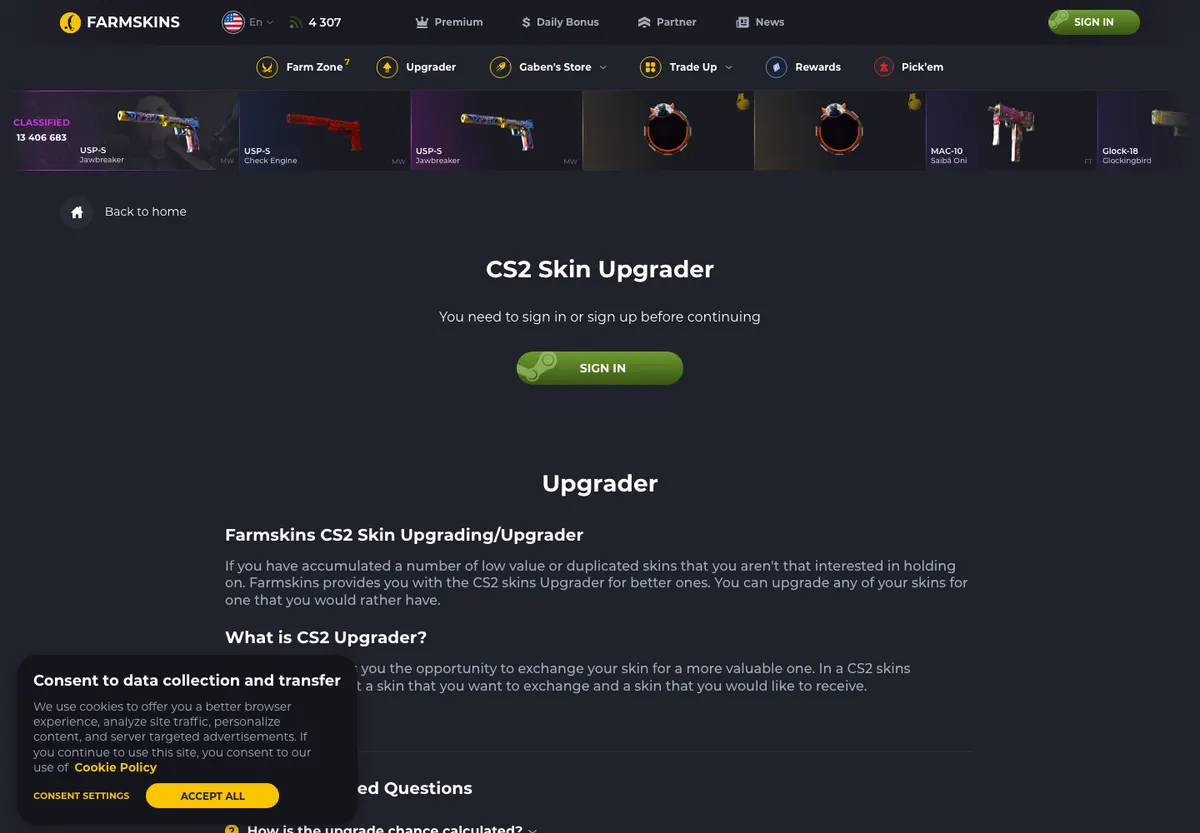
Farmskins documents an Upgrader that exchanges input items, optionally supplemented with Bullets, for an attempt at a higher-value target skin. A failed attempt still yields a skin, but its value is not assured. That fallback does not mean the original inputs are protected or that the result will be suitable for another attempt. Medusa is relevant only if it currently appears as an eligible target.
Understand the stake-to-target trade-off
In an upgrade-style game, a stake valued below the desired target is put at risk for a chance of receiving that target. As the target's value rises relative to the stake, the stated success chance falls. This is a general explanation of upgrade mechanics, not a Medusa-specific Farmskins calculation. Read the chance displayed on the official site before each attempt; if a clear chance or target specification is absent, do not proceed.
The operator's margin creates a house edge, so the long-run expectation is a loss of value. No timing routine, previous result or pattern-selection ritual changes the stated odds. Increasing the stake after an unsuccessful result raises exposure; it does not make the next attempt owed to you. Set an affordable entertainment limit before playing and stop rather than trying to recover consumed items.
Farmskins does not state a Medusa-specific success percentage, attempt limit or upgrade fee in its published general rules. Do not substitute ordinary Covert case odds or a trade-up recipe for the actual attempt information. Consult the game-modes guide to distinguish the Upgrader from other features, and the fees guide when comparing displayed values and costs.
Verification is separate from a better chance
A provably fair system generally allows a player to check that a result follows a disclosed cryptographic process. It does not make the target more likely or remove the house edge. Farmskins' terms and FAQ do not publish a seed-and-hash verification procedure; the FAQ describes an algorithm selecting an item. Do not treat an animated result as independent verification. The provably-fair guide explains that distinction.
Plan for an item withdrawal, not a cash payout
Farmskins permits withdrawal of in-game items by Steam trade offer, not cash. Its terms also prohibit third-party resale and real-money exchange. Bullets are non-transferable and have no cash value. An on-platform target valuation is therefore not a promised cash payout. If your objective is a specific usable item, check its withdrawal eligibility and your Steam readiness before committing anything.
For an adult who accepts the uncertainty, the practical sequence is to check target availability, inspect the attempt terms, set a spending boundary and verify the withdrawal requirements. Otherwise, assessing an existing item is the more direct decision path. Read the Farmskins review for the wider feature assessment and responsible-play guidance before considering chance-based modes. Availability and legal eligibility must be checked independently.
Medusa acquisition checklist
- Want a case drop? Medusa is not obtainable from a container.
- Considering crafting? Validate eligible inputs, collection representation and the complete output pool.
- Assessing an existing copy? Inspect its actual attributes and current trading restrictions.
- Considering Farmskins? Confirm Medusa is an eligible target and read the displayed chance before staking items.
- Planning delivery? Check Steam settings and remember that Farmskins offers item withdrawal, not cash withdrawal.
- Feeling compelled to recover a loss? Stop rather than increasing exposure.
AWP | Medusa FAQ
No matching questions found.
What collection is AWP | Medusa from?
What case drops AWP | Medusa?
Does the Covert case percentage apply to Medusa?
Can you trade up to AWP | Medusa?
Can Souvenir skins be used to craft Medusa?
What is Medusa's float range, and is StatTrak available?
Can I upgrade to Medusa on Farmskins?
Can a Medusa result on Farmskins be withdrawn as cash?
Farmskins' UK Gambling Commission licence has not been confirmed. Check targets and terms only if the service is legally available to you. Chance-based modes are 18+ and carry a house edge.
Links to the official site are independent and earn no commission. →
This independent guide is for informational purposes and is not affiliated with Farmskins.