
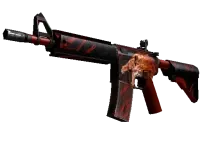

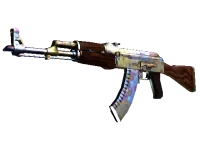


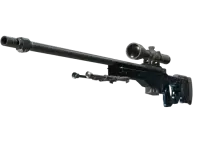
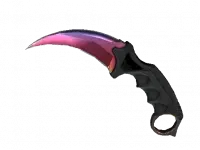

Looking for a FarmSkins case that fits your budget? Start with its price, possible drops and opening mode—not just the skin pictured on the cover. FarmSkins offers virtual CS2 cases with predefined item pools, optional Ultimate Mode on some cases, and Farm Zone case battles. Published homepage examples range from US$0.29 for Mil-Spec to US$888.88 for Fortune. This guide explains how to compare those options, what the published rules say about random drops, and how to prepare for Steam item withdrawal. Case opening is an 18+ game of chance and carries a house edge.
The FarmSkins website is https://farmskins.com/. This independent guide does not confirm its UK Gambling Commission licence status.
Links to the official site are independent and earn no commission. →
Compare case prices before choosing a theme
FarmSkins case prices cover very different spending levels. The examples below are published homepage listings, not a promise that every case will remain available at the same price. Check the live listing before committing balance, especially if you reached a case through an older screenshot or saved link. A case price tells you the cost of an opening; it does not tell you the value of the item you will receive.
| Case | Published price | What to check before opening |
|---|---|---|
| Mil-Spec | $0.29 | The full item pool and whether its possible outcomes suit your goal. |
| Syfers Crakow | $0.99 | Current contents, opening mode and the final displayed cost. |
| Platinum | $199.99 | Whether the spending commitment is acceptable even with an unfavorable drop. |
| Fortune | $888.88 | The complete outcome information, not only the most valuable featured item. |
A cheaper case limits the cost of an individual opening, but repeated openings still accumulate spending. A more expensive case does not guarantee a better result relative to its price. Compare the complete pool rather than assuming that a premium name, prominent artwork or expensive headline skin makes an opening favourable. The relevant question is whether you accept the cost and uncertainty of the whole case, including its less desirable outcomes.
Separate the opening price from the funding requirement
The published US$0.29 case price is not the same thing as the minimum amount needed to fund an account. FarmSkins says its normal minimum deposit is US$4, and a deposit is required before item withdrawal. Decide whether you are comfortable with the funding requirement before choosing a low-priced case. Do not deposit merely because a case looks inexpensive, then assume that unspent site credits can be withdrawn as cash.
- Choose a spending limit before browsing, rather than increasing it to reach a more expensive case.
- Compare the full possible-drop list, including items you would not actively choose.
- Check whether the displayed price applies to the normal case or an optional mode.
- Keep balance, Bullets and the value assigned to a skin separate in your decision.
- Use the live case page for the final cost; a screenshot is only a reference.
Understand the different ways to open cases
Not every FarmSkins case belongs to the same opening route. Ordinary case opening, Ultimate Mode and Farm Zone have different decision points. Daily Bonus and Gaben's Store introduce separate eligibility or currency considerations. These are FarmSkins product distinctions, not Valve rarity categories. Do not import the odds, key requirements or other rules of an in-game CS2 case into a separately operated virtual case.
| Route | Documented mechanism | Main decision before proceeding |
|---|---|---|
| Standard case opening | Receive an item from a predefined loot table, paying with balance or Bullets where permitted. | Does the whole pool justify the cost to you? |
| Ultimate Mode | Optional on some cases; the pool may shrink, the price may drop and Bullet accrual may rise. | How does the active configuration differ from the normal case? |
| Farm Zone | Competitive case opening with other users and winner-allocation rules. | Do you understand the settlement rule and total match commitment? |
| Daily Bonus | A daily case with a deposit-linked level system. | What does your current level allow, and which deposits qualify? |
| Cases through Gaben's Store | The store accepts Bullets and lists cases alongside skins and balance cards. | What are you buying with Bullets, and what conditions apply? |
Ultimate Mode changes the case you are assessing
FarmSkins describes Ultimate Mode as an optional setting on some cases. Its terms say the item pool may become smaller, the opening price may fall and Bullet accrual may increase. Those are possible changes, not a universal promise for every eligible case. Inspect the active configuration instead of assuming the mode always works identically. In particular, a smaller pool alone does not establish a better chance of receiving the item you want.
A useful comparison has three parts: which items remain, what the opening now costs, and what probability information accompanies that exact version. If you change modes after reviewing the normal case, review those details again. Do not carry an assumption about the original pool into a modified opening.
Farm Zone adds competition and settlement rules
The Farm Zone page describes matches for 2, 3 or 4 users with up to 30 cases, each case representing a round. Some cases, including Bomby, Invisibility and Power of Beauty, can only be opened in Farm Zone. Their presence in the catalogue therefore does not mean that you can open them as ordinary solo cases.
FarmSkins' public descriptions differ on settlement. The mode page describes the most valuable skin winning all drops in that round, while the terms describe the highest total platform-valued result winning all items. Check the applicable live match rules before joining; do not assume round-by-round settlement and overall-match settlement are interchangeable. If the allocation is unclear, do not enter. The wider game modes guide explains how competitive opening differs from other FarmSkins features.
For a match containing several cases, distinguish the price of an individual case from your complete entry commitment. Review the selected case lineup, the number of rounds and the final amount required before joining. Do not assume that a familiar case price describes the cost of the whole match. This is a general budgeting check, not a claim that every Farm Zone screen presents prices in the same way.
Also separate the skins revealed during play from the skins ultimately allocated to your account. In a competitive opening, seeing an appealing personal drop does not by itself establish that you keep it: the winner-allocation rule matters. The terms say losers may receive a consolation item, which is not a promise of a particular replacement value. Decide whether you accept that competitive outcome before entering, rather than treating a battle as ordinary case opening with additional spectators.
Keep Daily Bonus and Bullet rewards in perspective
Daily Bonus uses a level system raised through deposits, but Skin2pay deposits do not raise that level. Separately, the terms describe 3% cashback in Bullets on cases bought with balance. That reward is not cash returned to your payment method: Bullets have no cash value and cannot be transferred. Gaben's Store accepts Bullets only. Treat these features as restricted site mechanics, not reasons to spend beyond the amount you had already decided to use.
Read possible drops and odds as separate information
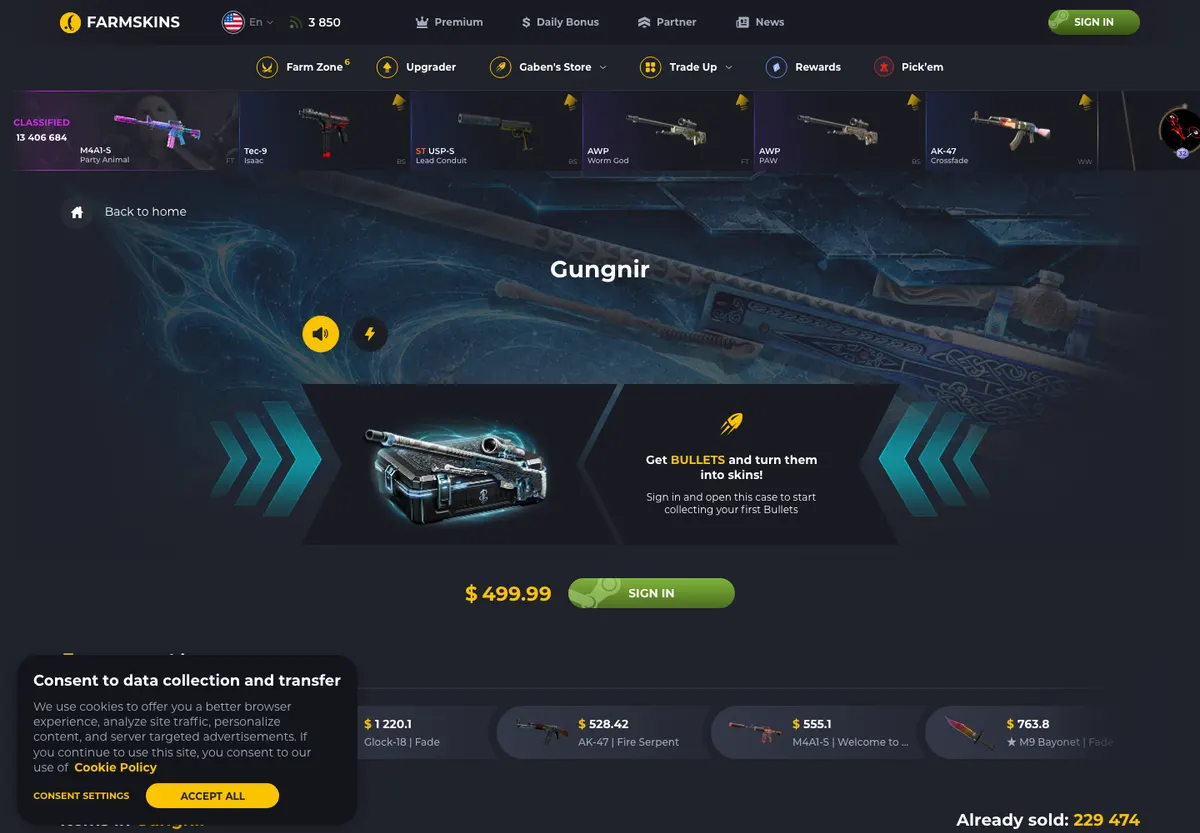
The official Gungnir case screenshot provides a reference for a FarmSkins case page, not a current quotation or availability guarantee. When inspecting any live case, distinguish its advertised contents from its probabilities. A loot table answers what can drop. An item-level probability answers how likely a particular outcome is. The first does not automatically reveal the second.
A predefined item pool is not an equal-chance promise
FarmSkins' terms say an opening awards an item from a predefined loot table. Its FAQ describes an algorithm picking an item. Neither statement, by itself, means that every listed skin is equally likely. Do not estimate a desired skin's chance by counting the pictures in a case. Likewise, the order or visual prominence of items does not establish their probability.
Look for numerical probability information attached to the current case and active mode. If a figure is supplied, identify whether it applies to an exact skin, a wear variant or a broader outcome group. If the information is absent or ambiguous, treat the chance as unknown rather than filling the gap with an assumption. FarmSkins' general opening description does not supply a universal item-by-item odds schedule for every case.
Item values cannot replace probability information
In general probability terms, assessing an opening requires both outcome values and their probabilities. A very valuable possible drop can dominate the artwork without telling you much about the typical result. Without a complete probability table, you cannot reliably calculate an average outcome from a list of skins. Nor can you derive a case-specific return figure simply by comparing the cheapest and most expensive items.
An unfavorable opening also does not demonstrate that a valuable item is now due. Do not treat previous spending, a near-miss animation or another person's result as evidence that your next opening has improved odds. Any such claim would need an explicit applicable rule, not an interpretation of the presentation.
Understand the limit of the published fairness explanation
FarmSkins' terms and FAQ do not explain a reproducible seed-and-hash verification procedure. Saying that an algorithm selects an item is not the same as providing a provably fair verification method. This is a transparency limitation, not proof that a particular result was manipulated.
As a general concept, a provably fair system lets users check a result against committed inputs and a disclosed calculation. Even where that exists, it does not remove the house edge or make an opening favorable. Result verification and clear odds are separate requirements: verifying a calculation is not the same as deciding its price is worthwhile. See the provably fair guide for those distinctions.
Keep a record of the configuration you choose
For your own records, capture the case name, active mode, displayed price and relevant contents before confirming an opening. If probability information is shown, preserve its labels as well as its figures. A cropped number without the associated item or outcome category can be misleading later. This is practical recordkeeping advice, not a FarmSkins requirement or a substitute for a published verification system.
The distinction becomes useful when comparing normal and Ultimate Mode views, or when asking about a case whose live listing has changed. Record what you actually selected rather than relying on a promotional image saved earlier. Afterward, retain any available purchase reference and the final awarded-item details. These records can help describe a discrepancy precisely; they cannot establish hidden probabilities or prove that an isolated outcome should have been different. Keep screenshots private if they contain account identifiers or payment information.
Open a FarmSkins case step by step
Prepare the account and withdrawal route before spending. The sequence below combines documented FarmSkins requirements with general account-safety advice. It deliberately starts before the opening button: discovering an eligibility or Steam problem after receiving an item is avoidable preparation work, not part of choosing a case.
- Confirm that you are eligibleFarmSkins requires users to be at least 18. Check local law and the current country restrictions before using chance-based features. Decide on a spending limit that you can afford to lose, and do not proceed if your purpose is recovering earlier losses.
- Sign in through Steam OpenIDFarmSkins uses Steam OpenID for login. As a general security precaution, inspect the Steam sign-in destination before entering credentials. Do not follow an unsolicited message claiming that a special login is necessary to unlock a case result.
- Prepare your Steam withdrawal detailsSave the correct Trade URL. FarmSkins lists a Public Steam profile and inventory, plus Steam Guard active for 15 days, as withdrawal requirements. Check these conditions before funding the account, rather than assuming a received item will immediately be deliverable.
- Inspect the exact case and modeRead the current price, possible-drop list and any probability information provided. Establish whether this is an ordinary opening, an Ultimate Mode configuration or a Farm Zone-only case. If a setting changes the pool, reassess that version before continuing.
- Review the funding method and final commitmentThe normal minimum deposit is US$4. The FAQ names options including cards through ZEN, Coinbase crypto and Skin2pay; Steam Wallet is not accepted. Review the method available to your account and any displayed payment conditions. Do not assume a deposit and a case purchase are the same transaction.
- Open only after accepting the uncertaintyAn ordinary opening awards an item from the case's predefined pool. Pay attention to the final case, mode and cost before confirming. If the outcome or charge appears unclear afterward, preserve the transaction details and seek clarification rather than making additional purchases to test the issue.
- Review the item and choose your next stepCheck the complete item identity before deciding whether to request a Steam withdrawal. Receiving a skin does not oblige you to keep playing or move it into another chance-based feature. Keep the original case spend separate from any later decision.
The FarmSkins website is https://farmskins.com/. Check its current price, item pool and applicable opening mode; this guide does not confirm its UK Gambling Commission licence status.
Links to the official site are independent and earn no commission. →
Check the exact skin, not just its headline name
The following are general CS2 item concepts, not promises about which attributes FarmSkins lets you select. A skin's identity can include its weapon, finish, exterior condition and special variant. Two items sharing the same finish name are not necessarily interchangeable. Read the complete listing rather than identifying a result solely from its thumbnail.
Wear describes an item's exterior condition. Familiar labels such as Factory New and Field-Tested summarize a range, while float is a more precise wear value. Pattern can also affect appearance on relevant finishes. A special label such as StatTrak is part of the item's variant, not a detail to disregard. Do not assume that a case image promises a specific float or pattern unless the applicable listing expressly says so.
Rarity is another distinct concept. An item's in-game rarity classification does not establish its probability inside every third-party case. FarmSkins' applicable pool and probability information are what matter for that opening. If you want a specific cosmetic rather than the experience of a random result, a lawful fixed-item purchasing route may better match that goal. Opening cases is not a reliable way to select an exact skin. The skin glossary explains these item terms in more detail.
Plan how a case drop reaches your Steam inventory
FarmSkins sends withdrawn items through Steam trade offers. Its FAQ gives a usual delivery time within 45 minutes, says delayed delivery can take up to 24 hours, and says rejected offers return after 1 hour. These are the site's stated timings, not an assurance that every request will complete on the usual schedule. A case result and a completed Steam delivery are separate stages.
Use the Trade URL carefully and inspect the offer
In general Steam trading, a Trade URL provides a destination for an offer; it is not your password and does not authorize acceptance on your behalf. A Steam trade offer specifies items on both sides of the exchange. Inspect both sides, the item identity and any confirmation prompt rather than trusting a familiar avatar or display name. Do not add your own inventory items merely because a message claims they are required to release a withdrawal.
Steam trade holds are a separate platform concept: Steam can hold items before delivery as an account-protection measure. Steam Guard authentication and trade confirmations help protect item movements. A service cannot make a Steam restriction disappear simply by promising faster delivery. If an offer is blocked, read the explanation Steam provides and resolve the underlying account condition. The trade safety guide covers this distinction.
Do not confuse item withdrawal with cash withdrawal
FarmSkins does not offer cash withdrawal; only in-game items can be withdrawn. Its terms also prohibit third-party resale and real-money exchange. A platform-assigned skin value is therefore not a cash redemption commitment. Separately, Steam Community Market listings concern Steam Wallet funds and include Valve fee lines, not a FarmSkins cash payout. Keep those systems distinct when comparing values. For the full preparation checklist, use the deposit and withdrawal guide.
Resolve case-opening problems without extra spending
| Situation | What to check | Safer next step |
|---|---|---|
| A case cannot be opened as a normal solo case | Whether it is marked as Farm Zone-only. | Review the battle rules rather than assuming the case is broken. |
| A price or pool differs from an earlier view | The current listing and whether Ultimate Mode is active. | Reassess the live configuration before confirming. |
| You cannot determine a desired item's chance | Whether the current case supplies an exact probability or only possible contents. | Treat the probability as unknown; do not infer equal odds. |
| A charge or opening result is unclear | Your payment confirmation, case name, mode and event time. | Preserve the details and ask support before attempting another purchase. |
| Item withdrawal is unavailable | Saved Trade URL, Public profile and inventory, Steam Guard readiness and the deposit requirement. | Resolve the applicable condition without making speculative additional deposits. |
| A Steam offer is delayed or restricted | The withdrawal status and any restriction shown by Steam. | Use the stated delivery guidance and support route; ignore messages demanding an extra release payment. |
Investigate an item mismatch before moving it
If a result looks different from what you expected, first establish which comparison is causing concern. Was the expectation based on the case cover, an item in the possible-drop list, the final awarded-item description or a received Steam offer? These are different stages. A cover image does not identify the result of an individual opening, while an apparent difference between an awarded item and a withdrawal offer deserves a precise check.
Compare the complete weapon and finish name, exterior condition and any special variant. Preserve the relevant descriptions before using the item in another feature or accepting an offer you do not understand. Ask about the specific mismatch rather than describing only a disappointing value. Do not open another case to test whether the same thing happens again; another purchase does not resolve the original question.
FarmSkins publishes support@farmskins.com and its FAQ mentions live chat and a ticket system. For a case-specific question, provide the case name, active mode, approximate event time, relevant transaction reference and a screenshot of the issue. Explain whether the problem concerns payment, item selection or Steam delivery. Never send your Steam password, authentication codes or recovery codes. Keeping those stages separate makes the request clearer without exposing account credentials.
Set stopping rules before the first opening
Choose both a spending limit and a stopping point before browsing the catalogue. The limit should not depend on receiving a valuable item, recovering the previous opening's cost or reaching a reward level. A low-priced case can still become a larger commitment through repetition. Changing to a more expensive case after a disappointing result changes the amount at stake, not the fact that the outcome is uncertain.
Keep Bullet rewards and deposit-linked levels outside that budget decision. If you notice yourself depositing to continue after your intended stopping point, hiding spending or repeatedly trying to undo losses, stop using chance-based features and seek appropriate support. Taking a break does not require another opening first. The responsible gambling guide explains practical limits and warning signs. No case selection method removes the house edge.
Your final checklist before opening
- You are eligible, understand the local restrictions and have set a firm spending limit.
- You have checked the current case price rather than relying on artwork or an old screenshot.
- You know whether the opening is standard, Ultimate Mode or Farm Zone.
- You have reviewed the whole item pool and identified any missing or unclear probability information.
- You understand that Bullets are not cash and that a skin's platform value is not a cash payout.
- Your Trade URL, Steam profile, inventory visibility and Steam Guard readiness meet the listed withdrawal conditions.
- You are willing to stop after an unfavorable result without depositing again to recover the cost.
FarmSkins cases FAQ
No matching questions found.
What is the cheapest published FarmSkins case?
Does FarmSkins have cases for games other than CS2?
Can I choose the skin that drops from a FarmSkins case?
Are FarmSkins case odds provably fair?
What does Ultimate Mode do to a case?
Why are some FarmSkins cases available only in Farm Zone?
Is the cashback from opening cases withdrawable money?
Can I withdraw a FarmSkins case result as cash?
The FarmSkins website is https://farmskins.com/. This independent guide does not confirm its UK Gambling Commission licence status.
Links to the official site are independent and earn no commission. →
This independent guide is for informational purposes and is not affiliated with Farmskins.