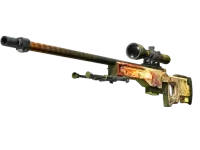
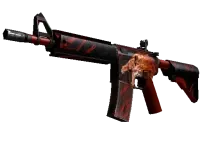
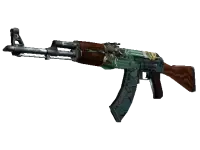
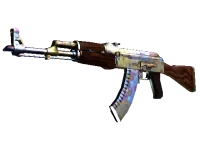
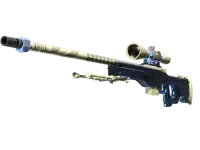
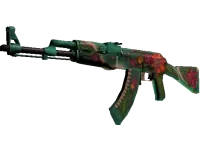
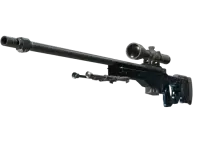
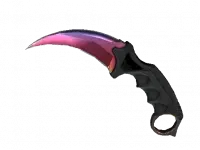
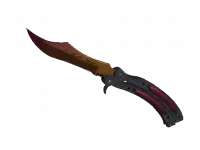
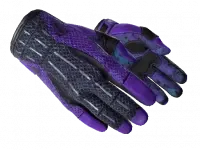

Looking for skins for a particular game? Farmskins supports CS2 items only—not Dota 2, Rust or TF2. Its documented CS2 features include case opening, Farm Zone battles, an Upgrader and Skin Changer, with eligible items delivered through Steam trade offers. The important distinction is between choosing a game, choosing a platform mode and receiving an item in your Steam inventory: these are separate decisions. Start by checking that the item you want is a CS2 item, then review its exact listing and withdrawal requirements. Chance-based play is 18+ and carries a house edge; it is not a dependable way to obtain a particular skin.
Check your game before choosing a skin
| Game | Farmskins support | What this means for you |
|---|---|---|
| CS2 | Supported | Farmskins describes its skins as items designed for CS2. Check the current case contents, item listing and withdrawal conditions. |
| Dota 2 | Not supported | Do not expect Dota 2 hero cosmetics, equipment or a Dota 2 withdrawal catalogue. |
| Rust | Not supported | Do not expect Rust item skins or a Rust-specific case and withdrawal route. |
| TF2 | Not supported | Do not expect Team Fortress 2 weapons, cosmetics or a TF2 trading catalogue. |
The basis for this distinction is Farmskins’ terms, which describe skins designed for use within CS2. A shared Steam account does not make inventories from different games interchangeable. Steam can contain items from several games under the same account, but each item still belongs to its own game and follows the relevant item and trading rules. Signing in with Steam therefore does not establish support for everything in your inventory.
If your goal is specifically a Dota 2, Rust or TF2 item, stop at that game-support check rather than depositing and hoping a different catalogue appears later. If your goal is a CS2 skin, continue by checking the exact item and the route you intend to use. Support for the game is only the starting point; it is not a promise that every CS2 finish or variant is available.
What CS2 support includes on Farmskins
Farmskins provides several ways to interact with CS2 skins, but those features serve different purposes. Opening a case means receiving an item selected from that case’s predefined loot table. It does not mean selecting whichever item you prefer from the pictures shown. Farm Zone adds a competitive case-opening format, while the Upgrader uses input items and optionally Bullets in an attempt to obtain a higher-value target skin.
Skin Changer has a different role: the terms describe swapping an inventory skin for another, with differences paid in or returned as Bullets. Gaben’s Store accepts Bullets for cases, skins and balance cards. These features broaden the ways CS2 items and platform credits are used; they do not add other supported games. In particular, Skin Changer should not be read as a promise of cross-game conversion.
- Want to understand a case? Read its contents and current conditions rather than judging by its name or artwork.
- Want a particular skin? Check the exact item listing and any available exchange or store route before considering a random outcome.
- Want the item in Steam? Review withdrawal eligibility separately from the activity that produced the platform inventory entry.
- Want money rather than an item? Farmskins does not provide cash withdrawals.
The distinction between a game and a mode is useful throughout the site. CS2 is the game whose items are supported. Case opening, Farm Zone and the Upgrader are platform activities involving those items. Moving between these sections does not change the destination game. For a closer explanation of their mechanics, use the Farmskins game modes guide before committing items or balance.
Why Dota 2, Rust and TF2 items are different
The following distinctions are general item guidance, not additional Farmskins features. They explain why searching for a game by name matters more than finding a site that uses the broad word “skins.” Similar-looking inventory interfaces can contain items with very different uses, attributes and compatibility.
Dota 2: hero and equipment compatibility matter
Dota 2 cosmetics can be associated with particular heroes and equipment slots. A useful item search therefore starts with the hero, the compatible slot and the exact cosmetic or set, rather than a CS2 weapon finish. Those are different catalogue requirements. A CS2 case description cannot establish that a Dota 2 item is included, even if its artwork has a fantasy theme or its title resembles a character name.
For a Dota 2 goal, the decisive answer here is that Farmskins does not support that game. Do not treat Steam sign-in, a general skin-payment label or an internal currency as evidence of a Dota 2 catalogue. Game support needs to be explicit, and the documented Farmskins scope is CS2.
Rust: identify the underlying item, not just the design
Rust skins relate to items within Rust, so the underlying item type is an essential part of any search. A design for a Rust weapon or piece of clothing is not a finish that can be equipped on a similarly named CS2 item. Shared terms such as “rifle,” “knife” or “case” do not create compatibility between games.
Farmskins does not document a Rust item service. If a search result brought you here for Rust skins, the practical next step is to look for explicit Rust support elsewhere before considering any payment. There is no reason to begin a CS2 case-opening route when the item you actually want belongs to Rust.
TF2: its item system is separate from CS2
Team Fortress 2 has its own weapons, cosmetics, class compatibility and item attributes. A familiar Steam inventory layout does not make those items equivalent to CS2 skins. The exact game label remains important when reviewing an item or trade offer, particularly when an account contains several game inventories. Farmskins supports CS2, not TF2, so you should not expect TF2-specific cases, item exchanges or withdrawals. Nor should you assume that an existing TF2 inventory becomes usable merely because you have connected the same Steam account.
Read the exact CS2 item, not just its picture
Once you have confirmed CS2 support, the next question is which version of an item you are viewing. The points below explain general CS2 item terminology. They are not a claim that Farmskins stocks every category or exposes every attribute in every interface. Check what the current listing actually states, and resolve any missing detail before proceeding.
Weapon model and finish identify the basic item
A weapon model tells you what the skin belongs to; the finish identifies its cosmetic design. Both matter. Similar colours or related names do not make different weapon skins interchangeable. Start by reading the complete item name, then compare it with the item you intended to obtain. Cosmetic appearance should also be kept separate from gameplay performance: a skin is not a damage upgrade. Choosing something because you like its appearance is a different goal from assuming that a more expensive-looking item changes how the weapon works.
Wear and float describe condition, not rarity
CS2 wear labels include Factory New, Minimal Wear, Field-Tested, Well-Worn and Battle-Scarred. Float is the underlying numerical wear attribute associated with condition. Wear can affect how a finish looks, but the visible effect differs by skin. A broad condition label therefore does not describe every visual detail of an individual item. General preview artwork is not enough to establish the exact appearance of a specific copy.
Wear is also not a measure of how long you have played with the skin. Ordinary use does not progressively turn a Factory New item into a Battle-Scarred one. Keep condition separate from rarity, which is a different classification. If appearance is your priority, confirm the stated condition and use any available item inspection details rather than inferring quality from a rarity colour or case price.
Special attributes can distinguish similar listings
StatTrak, Souvenir designations, pattern variations, applied stickers and name tags can distinguish otherwise similar CS2 items. StatTrak relates to kill tracking under the game’s applicable rules; Souvenir is a separate designation associated with event-related items. Neither should be assumed from a thumbnail. Pattern differences can also affect appearance without changing the basic finish name.
Only rely on attributes explicitly shown for the item you are selecting or receiving. If a listing does not promise a particular pattern or sticker combination, do not mentally add it to the description. The skin terminology glossary can help you separate an item’s identity, condition and special attributes before comparing alternatives.
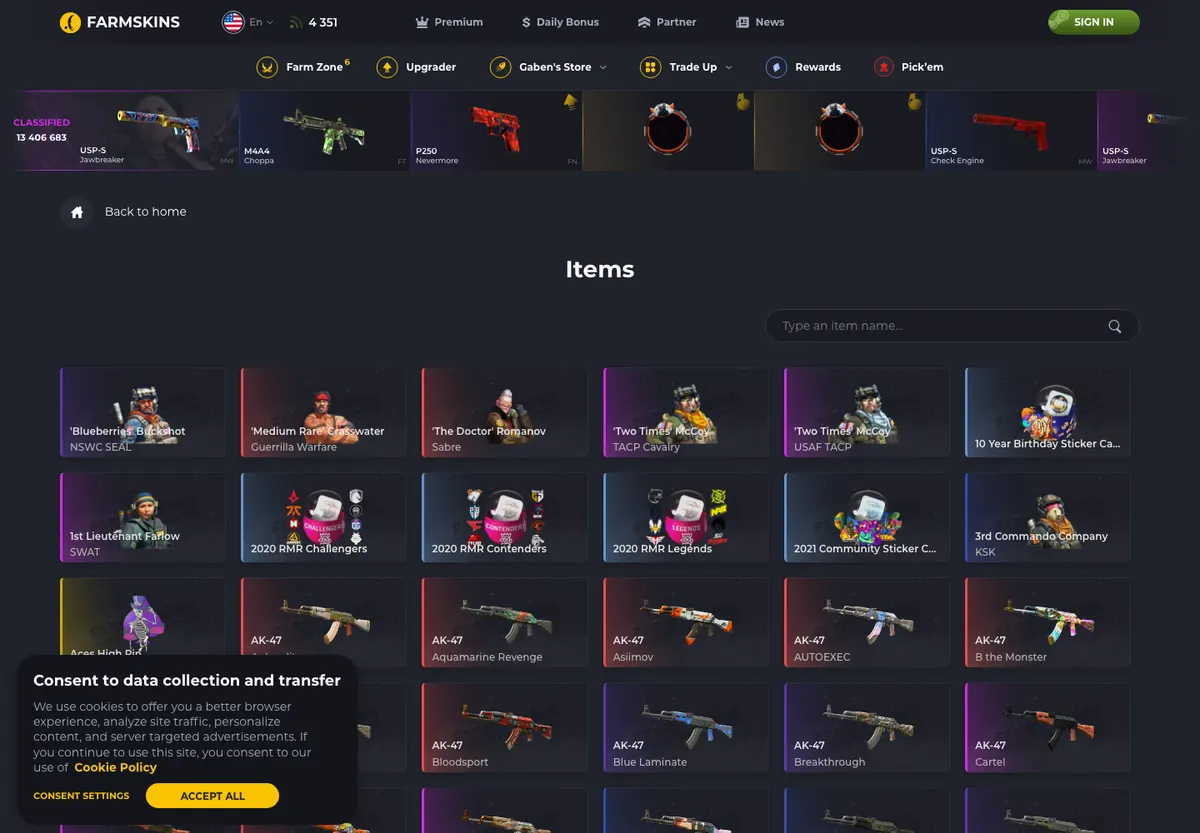
Choose the CS2 route that matches your goal
| Feature | Documented function | What to check first |
|---|---|---|
| Case opening | Selects an item from a predefined case loot table. | Contents, current price and the difference between a possible result and your preferred item. |
| Farm Zone | Competitive opening of identical cases, with items awarded according to the battle rules. | The displayed match format and how the current battle awards its items. |
| Upgrader | Uses input items and optionally Bullets for a higher-value target skin. | The target, what you commit and the failure outcome; a failed attempt yields a skin of unguaranteed value. |
| Skin Changer | Swaps an inventory skin, settling differences in Bullets. | The exact replacement item and how any Bullet difference is handled. |
| Gaben’s Store | Accepts Bullets for cases, skins and balance cards. | The current listing, required Bullets and whether you are selecting a skin or another platform product. |
If you want a particular appearance, a random case result may not match that goal. A case can contain an item you like without making that item the likely outcome of your next opening. Likewise, selecting an Upgrader target does not mean the attempt will produce it. Read the current terms of the activity before treating any displayed target as something you will receive.
For an existing inventory item you want to replace, Skin Changer is the documented exchange feature to examine. For spending Bullets, Gaben’s Store is a separate route. Neither description establishes unrestricted stock or cash-equivalent pricing. Compare the actual item and settlement shown, not just the feature name. The case guide explains the case-opening route in more detail.
Understand what your balance and skins can do
Game support and payment support answer different questions. A deposit method tells you how funds or eligible value reach the platform; it does not identify additional games available for play or withdrawal. Farmskins names Skin2pay among its deposit methods, but that payment-method name should not be used to infer a Dota 2, Rust or TF2 service. Its documented supported game remains CS2.
Balance, Bullets and withdrawable items are also distinct. Farmskins’ terms say Bullets and Crystals have no cash value and cannot be transferred. Balance credits are not a withdrawable cash balance. Receiving Bullets as an exchange difference is therefore not the same as receiving money back to a bank account. Before confirming an action, identify exactly which unit you are spending and which unit or item you will receive.
Steam Wallet is another separate system. Farmskins’ FAQ says it does not accept Steam Wallet funds. More generally, the Steam Community Market uses Steam Wallet funds and displays its own fee lines. Those Steam mechanics do not create a Farmskins funding or cash-withdrawal route. Check the deposit and withdrawal guide for the documented payment options and item-delivery conditions.
Prepare Steam before requesting a CS2 item
Farmskins uses Steam OpenID for sign-in and Steam trade offers for item delivery. These are separate functions: signing in identifies the connected account, while a trade offer handles the item transfer. A successful login does not by itself establish that the account meets every withdrawal requirement. Check readiness before spending if your main objective is receiving a skin in Steam.
- Confirm you have connected the Steam account where you want the CS2 item delivered.
- Save the correct Steam Trade URL in Farmskins.
- Meet Farmskins’ published requirement for a Public Steam profile and inventory.
- Meet its published requirement for Steam Guard to have been active for 15 days.
- Account for the required deposit before item withdrawal; the FAQ gives a normal minimum deposit of $4.
The deposit figure is the FAQ’s normal minimum, not a promise that every account or transaction will have identical conditions; the FAQ says the minimum may be raised for promo abuse. More importantly, a deposit does not override Steam restrictions or make another game supported. If you are unsure which account is connected, resolve that before trying to use a different inventory or submitting an item request.
As general security guidance, enter Steam credentials only on the genuine Steam sign-in interface. A trade link is not a substitute for your password or authenticator code. Do not provide those credentials to someone claiming to arrange a withdrawal. For account and offer checks, see the Steam trade safety guide.
Follow the item from Farmskins to Steam
- Confirm the game and exact itemCheck that the item is for CS2. Read its full name, stated condition and any special designation. Do not use case artwork as a substitute for the item description.
- Check withdrawal readinessReview your saved Trade URL, connected account, Steam visibility and Steam Guard eligibility. Distinguish the platform inventory entry from an item already delivered to Steam.
- Request the item through the official interfaceUse the official Farmskins item-withdrawal flow and retain the item name and request details. Do not accept an unsolicited message as a replacement for that process.
- Inspect the Steam trade offerGeneral Steam guidance: review both sides of the offer, the game, the item and any items requested from you. A Steam trade offer specifies what each side gives; do not approve unexpected terms.
- Confirm delivery in the correct inventoryAfter the trade completes, check the CS2 section of the receiving Steam account. An offer notification, a platform result and a completed Steam transfer are different stages.
Farmskins’ FAQ says item offers usually arrive within 45 minutes, with delayed delivery potentially taking up to 24 hours. It also says rejected offers return after 1 hour. Treat these as published service guidance rather than a delivery guarantee. If an item is missing, establish whether the request is pending, an offer was rejected or Steam is showing a restriction before taking further action.
Troubleshoot the right problem
| Situation | What it means | Useful next step |
|---|---|---|
| You cannot find Dota 2, Rust or TF2 items | Those games are outside Farmskins’ supported CS2 scope. | Do not deposit to unlock an assumed alternative game catalogue. |
| You want a CS2 skin that is not listed | Game support does not establish availability of every individual item. | Check the current relevant listing or ask support about that exact item. |
| Your Steam login works but withdrawal does not | Authentication and withdrawal eligibility are separate checks. | Review the saved Trade URL, visibility settings, Steam Guard requirement and deposit condition. |
| You have Steam Wallet funds | Farmskins does not accept Steam Wallet as a deposit method. | Review its actual payment options rather than trying to move Wallet funds through a trade offer. |
| An expected item has not arrived | A platform request is not the same as a completed Steam transfer. | Check request status, pending offers and any Steam message before contacting support. |
| Someone asks you to send items to verify delivery | An unsolicited request needs independent verification. | Pause and contact official support; inspect both sides of any offer before accepting. |
General Steam guidance also matters when an offer is delayed. Valve describes a trade hold as a period during which Steam holds items before delivery, allowing fraudulent trades from compromised accounts to be cancelled. A hold is not proof that the wrong game was selected, and repeated platform actions do not remove a Steam restriction. Read the actual Steam notice rather than assuming every delay has the same cause.
When contacting Farmskins support, prepare the exact CS2 item name, the request time, any transaction or request reference shown, and the wording of the error. Relevant screenshots can help, but remove credentials and authentication codes. The published support email is support@farmskins.com. A precise description such as “CS2 item request pending with this Steam message” is more useful than reporting that all skins are unsupported.
Keep game support separate from fairness and value
Knowing that Farmskins supports CS2 answers an item-compatibility question. It does not establish the odds of receiving a particular finish, the value of your next result or the availability of independent outcome verification. Farmskins’ FAQ says its algorithm selects an item, but its FAQ and terms do not provide a public seed-and-hash verification procedure. Do not infer provably fair functionality from an animation, a visible result or the presence of familiar CS2 items.
As a general concept, a provably fair system uses disclosed cryptographic inputs and a verification method to let a user check how a result was derived. That is a separate question from whether a case contains authentic game items. Even verifiable randomness would not remove a house edge or make a desired item certain. Read the provably fair explanation to understand which evidence such a claim requires.
Farmskins is 18+ regardless of parental consent. If you choose chance-based play, set an entertainment budget you can afford to lose and stop when you reach it. Do not keep opening cases to recover an earlier result or complete a desired loadout. If obtaining a known cosmetic is your only objective, compare that goal with the uncertainty of random selection before spending. For confidential support in the UK, contact GamCare’s National Gambling Helpline on 0808 8020 133. The responsible play guide covers budgeting and warning signs.
Make your next step specific
A useful decision starts with the item, not the payment button. Write down the game, exact item and attributes you care about. Then decide whether you want to inspect a known listing, exchange an existing item or take part in a chance-based activity. This keeps a search for a particular cosmetic from drifting into an unrelated mode simply because that mode is prominent.
- For Dota 2, Rust or TF2: Farmskins is not a supported route for your target item.
- For a specific CS2 skin: confirm the exact variant and current listing before considering how to obtain it.
- For an existing CS2 inventory item: examine Skin Changer’s replacement and Bullet settlement rather than assuming a cash trade.
- For CS2 case opening: review the case contents, price and uncertainty before proceeding.
- For Steam delivery: complete the account-readiness checks before requesting withdrawal.
Leads to https://farmskins.com/. Check current listings, withdrawal requirements and local eligibility before spending.
Links to the official site are independent and earn no commission. →
Supported games FAQ
No matching questions found.
Does Farmskins support games other than CS2?
Can I use Skin Changer to turn a CS2 skin into a Rust or Dota 2 item?
Does CS2 support mean every CS2 skin is available?
Can I withdraw a skin as money instead?
What must I set up to receive a CS2 skin?
Can Steam Wallet funds pay for Farmskins cases?
How long should a CS2 item withdrawal take?
Does choosing a case let me choose the skin inside?
This independent guide is for informational purposes and is not affiliated with Farmskins.