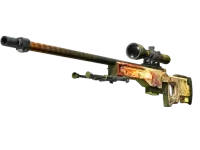
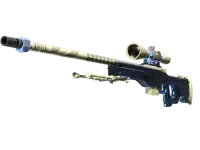
Looking for an AWP | Gungnir? Start with the distinction that matters most: this Covert skin belongs to the Norse Collection and cannot be obtained from a standard CS2 container. Its float range is 0.00–0.60, and it has neither a StatTrak nor a Souvenir edition. Farmskins offers an Upgrader and Steam item withdrawals, but those features are separate from Valve’s collection and trade-up systems. Below, learn which acquisition routes make sense, what case odds actually describe, and what to check before committing items. Chance-based case opening and upgrading are 21+ activities and carry a house edge.
Visit the official Farmskins Upgrader to inspect available targets and terms. Do not assume Gungnir is currently available.
Links to the official site are independent and earn no commission. →
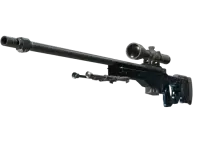
What is AWP | Gungnir?
AWP | Gungnir is a Covert AWP finish from the Norse Collection. It was released on Nov 18, 2019, alongside Operation Shattered Web. That release association explains its history, but it does not mean that opening a container associated with the same operation can produce it. Collection membership and case contents are different parts of the item system.
- Collection and rarity
- Norse Collection; Covert[↗]
- Release
- Nov 18, 2019, with Operation Shattered Web[↗]
- Float range
- 0.00–0.60[↗]
- Special editions
- No StatTrak or Souvenir version[↗]
- Container availability
- Cannot be obtained by opening a CS2 container[↗]
For a prospective owner, these details are more useful than an unsourced price claim. They help you reject an incorrectly labeled listing, distinguish an actual item from a themed case, and understand which contract outputs are relevant. If someone offers a StatTrak Gungnir or describes it as a Souvenir drop, the description conflicts with the skin’s documented versions. Resolve that mismatch before considering any trade.
Where does Gungnir come from—and can a case drop it?
Gungnir’s documented origin is the Norse Collection, not a weapon-case loot table. The item reference explicitly states that it cannot be obtained by opening any container. Consequently, ordinary CS2 case-opening odds do not describe a route to this AWP. A red rarity label is not enough: the exact finish must actually belong to the container’s possible outcomes.
- A CS2 container uses its own item pool. Gungnir is not available through this route.
- A collection identifies an item family. It does not automatically describe a currently available container or reward.
- A trade-up contract consumes eligible skins and selects an output according to contract rules and the represented collections.
- A Steam trade transfers an existing copy between inventories; it does not generate a new case drop.
- A third-party case or upgrade uses that operator’s separate rules. Its title is not evidence of Valve container availability.
This distinction is particularly important when browsing a third-party case named after a desirable skin. The name can describe a theme rather than every possible reward. On Farmskins, case opening awards an item from the case’s predefined loot table. Read that actual list and the applicable conditions; do not infer Gungnir availability from artwork, a banner, or a case title.
What published case odds mean for an opening
Published CS2 case figures explain why a rarity category and a named skin are not interchangeable. CSGOSKINS.GG reports the Mil-Spec and Restricted figures below, attributing them to Valve’s published numbers. CSGODatabase provides the Covert and rare-special reference figures. These are selected category figures, not a complete combined probability table, and none is a Gungnir drop rate.
| Category | Published figure | What it describes |
|---|---|---|
| Mil-Spec | 79.92% | A rarity-category case outcome, not a named finish |
| Restricted | 15.98% | A rarity-category case outcome, not a collection-wide chance |
| Covert, normal | 0.64% | A normal Covert case outcome; not a chance of receiving Gungnir |
| Covert, StatTrak | 0.064% | A StatTrak Covert reference; Gungnir has no StatTrak version |
| Rare special item, normal | 0.26% | The knife-or-glove category, not an AWP outcome |
| Rare special item, StatTrak | 0.026% | The published StatTrak rare-special reference, not a Gungnir route |
Read a category probability as applying to an eligible opening under the relevant case rules. It does not build into a promise after repeated attempts. Earlier disappointing results do not make an unavailable item enter the loot pool, and they do not establish that a desirable outcome is now due. Most importantly here, Gungnir’s Covert grade does not entitle it to a share of every case’s Covert outcomes.
Do not transfer these figures to Farmskins. Its virtual cases use predefined item lists, and the relevant information is the selected case’s own displayed contents and conditions. If an exact reward or its chance is unclear, pause rather than substituting a familiar CS2 percentage. Knowing the wrong probability precisely is less useful than recognizing that it describes a different product.
Can you craft Gungnir with a trade-up contract?
The standard trade-up contract takes 10 eligible skins of the same grade and produces 1 skin of the next grade, drawn from the input collections. Inputs must be all normal or all StatTrak. Mixing collections is allowed, but it changes the possible output pool. This is an in-game conversion rule, not the same mechanism as staking inventory in a third-party Upgrader.
Because Gungnir is a normal Covert skin in the Norse Collection, the relevant crafting route is an eligible normal contract leading into that collection’s Covert output pool. That requires the preceding grade and Norse representation; a collection label elsewhere in your inventory is not enough. A StatTrak contract cannot produce a StatTrak Gungnir, because that version does not exist.
- Confirm the contract routeCheck that the selected input grade advances to Covert and that the eligible collections can lead to Gungnir. Do not confuse the normal grade-up contract with the separate Covert-input feature.
- Check every input’s edition and eligibilityKeep normal and StatTrak inputs separate. Souvenir and Contraband items are excluded from the standard contract; knives are not standard inputs either.
- Inspect the entire output poolMixed collections can introduce outputs other than the skin you want. Identify those outcomes before treating a proposed set of ingredients as a Gungnir recipe.
- Review the consequence of consumptionThe inputs are exchanged for the contract result. Decide whether you accept the possible outputs before proceeding, rather than planning another contract to undo an unwanted result.
Collection representation matters because the result comes from the collections used in the contract. Adding unrelated eligible skins does not preserve an assumed Gungnir-only outcome. Conversely, merely collecting Norse items does not make their grades, editions or individual eligibility irrelevant. Assess the actual selected inputs together, rather than following a shopping list whose assumptions you have not checked.
There is also a separate rule introduced on Oct 22, 2025: 5 Covert skins can produce a knife or gloves from a collection represented by eligible inputs, while 5 StatTrak Covert skins can produce a StatTrak knife. That is not a contract for producing another Covert AWP. Do not read the older exclusion of Covert inputs from the standard 10-input contract as a complete description of every current contract feature.
Open the official Farmskins site to inspect current case contents. A themed name does not establish that Gungnir is an available reward.
Links to the official site are independent and earn no commission. →
Wear, float, patterns and StatTrak
Gungnir’s documented float range is 0.00–0.60. Float is the numerical wear property; a condition label is a broader way of describing wear. When assessing an existing copy, inspect the actual item rather than relying entirely on a label such as Factory New or Field-Tested. The condition name is useful shorthand, but it is not a substitute for viewing the finish you would receive.
| Detail | What it tells you | What to check |
|---|---|---|
| Exact finish name | Whether the offered item is AWP | Gungnir | Match the Steam item description, not only a seller’s caption |
| Float | The numerical wear value within 0.00–0.60 | Inspect the offered copy and its item details |
| Condition label | A broad wear category | Compare the label with the exact float and visible appearance |
| Pattern claim | A seller’s description may refer to a seed or visual detail | Ask for item-specific evidence rather than accepting an assumed tier |
| StatTrak or Souvenir label | An edition claim | Gungnir has neither edition; stop if the description says otherwise |
Float and pattern are different concepts. A numerical seed is not a wear measurement, and a lower float does not by itself validate a claim about pattern rarity. Treat any claimed Gungnir pattern tier as unverified unless it comes with clear, item-specific evidence. Ask what visible characteristic the claim refers to, then inspect the exact copy rather than a representative screenshot.
For a contract, do not assume that an input’s condition label promises the same output condition. Keep the question of which finish can result separate from the question of its eventual wear. For an existing copy, keep appearance separate from transaction safety: an attractive inspection image does not prove that a pending trade contains that same item.
Safer ways to obtain and receive an existing copy
If your goal is specifically to own Gungnir, distinguish acquiring a known copy from paying for a chance at a target. Where a suitable listing or trade is available, examining an existing item makes its identity and condition explicit. It avoids uncertainty about which finish an opening or upgrade will select, although account security, availability and transaction conditions still require attention.
As general Steam guidance, Trade Offers package the items selected for both sides of an exchange. The Steam Community Market instead uses Steam Wallet funds and displays fees in its purchase flow. Neither description establishes that a particular Gungnir listing is currently available. Check the actual item and transaction terms, and do not mistake Wallet funds for a bank withdrawal service.
- Open Steam independently and inspect the actual pending offer rather than trusting a chat link or screenshot.
- Check the exact finish, edition, condition and items requested from your side.
- Match the counterparty and offer to the transaction you initiated; a familiar display name alone is not enough.
- Reject requests to send the skin to a supposed verification account or to confirm an unrelated exchange.
- Read any restriction or hold shown by Steam before assuming the received item will be immediately available.
Steam trade holds are separate from a website’s processing time. Valve describes a hold as a period during which Steam retains items before delivery, giving owners of compromised accounts an opportunity to cancel fraudulent trades. Steam Guard’s mobile authenticator supports trade and market confirmations. Follow the requirements shown on your own account rather than applying another user’s timeline to your transaction.
A common troubleshooting mistake is to treat every delay as a reason to pay again. If an offer has not arrived, first check the originating platform’s transaction status and Steam’s offer history. If an offer exists but shows a restriction, read Steam’s explanation. If its contents differ from what you expected, stop and resolve the discrepancy instead of accepting it to keep the process moving.
These are general account and trading precautions, not Gungnir-specific trade restrictions or Farmskins delivery promises. For the practical distinction between platform dispatch, Steam confirmation and item availability, see the trade-safety guide. If you are still choosing a finish, compare the separate AWP | Dragon Lore and AWP | Medusa guides rather than assuming that similar weapons share acquisition rules.
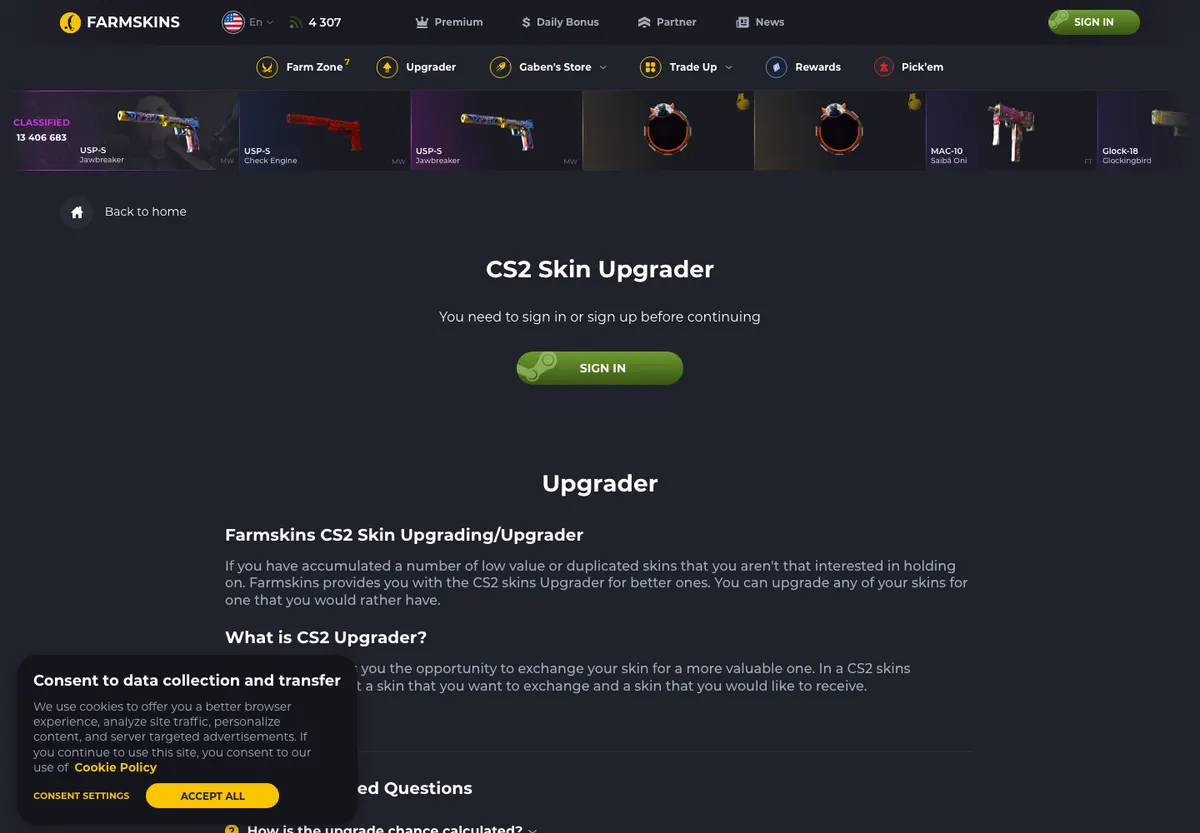
Upgrading toward this skin on Farmskins
Farmskins documents an Upgrader in which input items, optionally supplemented with Bullets, are exchanged for a higher-value target skin. A failed attempt still produces a skin, but its value is not assured. This is a chance-based game, not a purchase of the selected target, and it is not Valve’s trade-up contract. Participation is 21+ and carries a house edge.
For Gungnir specifically, first establish whether the exact finish is currently selectable. An Upgrader’s existence does not establish permanent stock or target availability. If the skin is absent, do not assume another item will later convert into it on the same terms. The Farmskins review covers the wider service, while the game-modes guide separates upgrading from case opening and battles.
Read the chance, not a supposed strategy
In an upgrade-style game, lower-value inputs are put at risk for a higher-value target. As the target’s value rises relative to the stake, the stated success chance falls. Read the chance shown on the official site for the selected inputs and target before each attempt. If the chance, stake or possible failure outcome is unclear, do not proceed on the strength of a generic explanation.
The operator’s margin means the long-run expected result is a loss, even though individual attempts can succeed. Changing the time of day, following an animation pattern or increasing stakes after a loss does not create an edge. A sequence of upgrades also introduces repeated exposure to failure; it is not simply a slower purchase of Gungnir. Set an entertainment limit beforehand and stop when it is reached.
Understand the failed-attempt return
The Farmskins Upgrader page shows an Upgrader Level feature with up to 4% value on a failed upgrade at level 1. The words “up to” matter: this is not a promise to preserve the input value, and it is not the success probability for Gungnir. Receiving a skin after failure does not make the attempt costless or remove the house edge.
Keep platform valuations separate from spendable money. Farmskins states that Bullets have no cash value and cannot be transferred, while balance credits are not worth real money. Do not treat a displayed target value, a failed-attempt return or a Bullet balance as a cash payout. The fees and pricing guide explains the documented terms without substituting an invented Gungnir price.
Verification does not improve the odds
Generally, a provably-fair system provides data and a method for checking that a result follows a committed procedure. That can help verify an outcome; it does not increase the player’s chance or remove an operator’s margin. Farmskins’ public FAQ and terms do not set out a seed-and-hash verification procedure. The FAQ’s description of algorithmic item selection is not, by itself, a reproducible verification method.
Do not import another site’s verifier, formula or fairness claim into Farmskins. The relevant questions are what this operator publishes, what you can independently check, and whether you are comfortable proceeding without a documented verification method. See the provably-fair explanation for the distinction between a displayed chance and independently checking how an outcome was produced.
Check withdrawal conditions before playing
Farmskins sends withdrawn items through Steam trade offers and does not offer cash withdrawal. Its FAQ requires a saved Trade URL, a Public Steam profile and inventory, and Steam Guard active for 15 days. It also says a deposit is required before item withdrawal, with a normal minimum deposit of $4. These are Farmskins requirements, not universal rules for every Steam transaction.
Do not plan around a later cash-out: Farmskins is not a buy-and-sell marketplace, and its terms prohibit third-party resale and real-money exchange. Check the deposit and withdrawal guide before committing funds. If your objective is simply a particular existing copy, compare that objective honestly with a chance-based attempt rather than treating the two experiences as equivalent.
Your Gungnir checklist before committing
- Confirm the route: a standard CS2 container cannot produce Gungnir.
- For crafting, check eligible inputs and the complete next-grade output pool rather than relying on the desired finish alone.
- For an existing copy, inspect the exact item, float, condition and Steam offer.
- Reject StatTrak or Souvenir descriptions; neither Gungnir edition exists.
- On Farmskins, confirm current target availability, the displayed chance and the failed-attempt terms.
- Check withdrawal eligibility before spending, and keep chance-based play within a preset entertainment limit.
The best next step depends on the goal: inspect a known copy if you want ownership certainty, study contract eligibility if you want to understand crafting, or review the risks before choosing an upgrade attempt. For help setting boundaries around chance-based play, use the responsible-gambling guide.
AWP | Gungnir FAQ
No matching questions found.
Which case drops AWP | Gungnir?
What are the odds of unboxing Gungnir?
Can you trade up to AWP | Gungnir?
What float range does Gungnir have?
Does Gungnir come in StatTrak or Souvenir?
Is there a best Gungnir pattern seed?
Can I upgrade to Gungnir on Farmskins?
Can a timing trick improve my upgrade chance?
Can I withdraw money after obtaining a skin on Farmskins?
Visit the official Farmskins Upgrader to check current targets and attempt details. For adults where lawful; participation carries a house edge.
Links to the official site are independent and earn no commission. →
This independent guide is for informational purposes and is not affiliated with Farmskins.