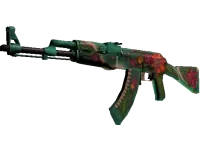

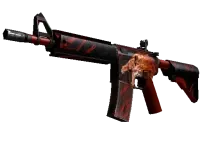
If you want an M4A4 | Howl, look for an existing copy rather than a case-opening or crafting recipe. This Contraband skin is associated with the Huntsman Collection, but it no longer drops from the Huntsman Weapon Case and cannot be produced by a trade-up contract. Farmskins offers a CS2 Upgrader and Steam item withdrawals, although neither confirms that Howl is currently available as a target. This guide separates the skin’s actual acquisition rules from chance-based attempts. Such play is 21+ and carries a house edge.
Opens https://farmskins.com/upgrade. Check available targets and the attempt conditions before committing any items.
Links to the official site are independent and earn no commission. →
What makes M4A4 | Howl different?
M4A4 | Howl is a cosmetic finish for the M4A4 in Counter-Strike. Its defining distinction is its Contraband rarity. That classification matters more to an acquisition decision than its historical case association: Howl does not follow the ordinary route of opening its original case or combining lower-grade skins to create it. A listing that names the Huntsman Collection is describing the item’s origin, not an active source of newly generated copies.
- Historical collection
- Huntsman Collection / Huntsman Weapon Case[↗]
- Rarity
- Contraband[↗]
- Float range
- 0 to 0.4, from Factory New to Well-Worn[↗]
- Trade-up output
- Excluded: a contract cannot produce Howl[↗]
Keep origin, availability and delivery separate. Origin explains where the skin belongs historically. Availability tells you whether an existing copy is actually offered now. Delivery determines whether that particular item can reach your Steam inventory under the applicable account and trading conditions. A case name, search result or upgrade animation cannot answer all of those questions. Start by identifying the exact item you want, then examine the route being offered.
Where Howl comes from—and why it no longer drops
Howl is historically part of the Huntsman Collection associated with the Huntsman Weapon Case, but it was removed from the case’s obtainable contents. Its Contraband classification is the crucial exception. Opening a Huntsman Weapon Case today is not a way to obtain a new Howl. Owning an older case does not turn its historical contents into its current reward pool.
| Route | Can it produce or supply Howl? | What to check |
|---|---|---|
| Huntsman Weapon Case | No new Howl drop | Historical collection membership is not the current loot table. |
| Steam trade-up contract | No | Contraband is excluded as an output. |
| Existing-copy listing or trade | Potential route to an already existing item | Inspect the exact copy, offer contents and current trading eligibility. |
| Third-party case | Only if its current reward list explicitly includes Howl | A third-party reward pool is separate from Valve’s case contents. |
| Farmskins Upgrader | Current Howl target availability is not confirmed | Check the official target selector, stated chance and withdrawal conditions. |
A third-party service may use familiar skin names in its own case catalogue. That does not mean it has restored Howl to Valve’s case system. The service would be offering a reward under its own rules, not changing the game’s item-generation rules. On Farmskins, case openings award an item from a predefined loot table. Read that table rather than relying on a case title, thumbnail or association with expensive skins.
Published case odds do not give Howl a drop chance
General CS case odds describe rarity categories within an eligible case pool. They do not override an item’s exclusion from that pool. In particular, the commonly quoted Covert rate is not a Howl rate: Howl is Contraband, not an available Covert reward in the current Huntsman case. The following published reference figures provide context for ordinary case openings, not Farmskins odds or a way to calculate Howl availability.
| Published category | Reference probability | Meaning for a Howl search |
|---|---|---|
| Mil-Spec | 79.92% | An ordinary rarity-tier figure; it does not include Contraband Howl. |
| Restricted | 15.98% | A tier-level figure, not the chance of a particular desired skin. |
| Covert, normal drop | 0.64% | Cannot be applied to Howl merely because it once belonged to a case. |
| Covert, StatTrak drop | 0.064% | A general category figure, not confirmation of a Howl variant. |
| Rare special item, normal drop | 0.26% | Refers to knives or gloves, not Howl. |
| Rare special item, StatTrak drop | 0.026% | Does not create an acquisition route for a Contraband rifle skin. |
These figures are not presented as a complete distribution to add together: the table includes general tier figures alongside separately labeled StatTrak categories. More importantly, a tier probability is not automatically an individual-item probability. The item must first be eligible for the opening, and any calculation would need the applicable reward distribution. A removed item cannot be brought back into that distribution by using a more favourable interpretation of a rarity statistic.
- Check whether the exact item appears in the current reward pool.
- Distinguish a rarity-tier rate from an individual reward’s rate.
- Keep Valve case figures separate from a third-party service’s published chances.
- Treat each opening as a new paid decision; earlier misses do not create an entitlement to the target.
- Do not convert a low published chance into a promised outcome after repeated openings.
Can you craft Howl with a trade-up contract?
No. M4A4 | Howl cannot be a trade-up output because Contraband is excluded as an outcome. It is also excluded as an input. Buying Huntsman skins, choosing cleaner inputs or mixing collections does not bypass that rule. If a proposed recipe claims to craft Howl, the problem is not whether its chance is attractive: the requested output is ineligible.
The standard trade-up contract consumes 10 skins of the same grade and returns a skin of the next grade from a collection represented by the inputs. Those inputs must be all normal or all StatTrak. Mixing eligible collections is allowed, so the input collection mix matters when determining the possible output pool. Collection membership alone is not enough, however: the output must also be permitted by the contract rules.
| Contract or restriction | Published rule | Effect on Howl |
|---|---|---|
| Standard contract | 10 same-grade skins, all normal or all StatTrak, produce a next-grade skin from an input collection. | Does not allow Contraband output. |
| Mixed collections | Eligible collections can be mixed. | Mixing does not make Howl eligible. |
| Excluded inputs | Souvenir skins, knives and Contraband skins cannot be used in the standard route. | Howl cannot be used as an input. |
| Covert contract added in October 2025 | 5 Covert skins produce a knife or gloves; 5 StatTrak Covert skins produce a StatTrak knife. | This is not a route to a Contraband rifle. |
The distinction between removed skins is especially important here. Other removed Huntsman skins may remain obtainable through trade-ups, but Howl is explicitly the exception. Do not generalise from a recipe for another removed item. Likewise, the newer Covert contract does not mean every formerly excluded category has become eligible. It adds a specific knife-and-glove route, not a general mechanism for creating any item you name.
Before committing skins to any contract, establish its eligible outputs before considering wear optimisation or cost. That order prevents a common mistake: carefully selecting inputs for an impossible result. An in-game trade-up and the Farmskins Upgrader are also different systems. The contract follows Counter-Strike’s crafting eligibility rules; the Upgrader is a separate chance-based service with its own target selection and consequences.
Wear, float, patterns and StatTrak checks
Use the actual float, not just the condition name
Howl has a published float range of 0 to 0.4, covering Factory New through Well-Worn. Float describes an individual skin’s wear value, while the named condition groups wear into a broader category. For an existing copy, inspect both. A condition label helps filter candidates, but the exact item’s appearance is what you will see in your inventory. Do not accept a promotional render as evidence of the offered copy’s condition.
Separate a pattern claim from visible evidence
Pattern identifiers and wear values describe different aspects of a skin. A seller calling a pattern rare does not establish a meaningful visual difference or justify an extra charge. No Howl-specific pattern ranking or pattern premium is confirmed here. Assess the actual inspected appearance and require independent support for any special-pattern claim. Avoid importing rules from unrelated finishes simply because another skin has sought-after pattern variations.
Do not infer StatTrak availability from general odds
Howl-specific StatTrak availability is not confirmed here. The general StatTrak probabilities above cannot answer that item-specific question. Before accepting any variant claim, confirm the exact item designation through an authoritative item listing and the actual Steam item details. For terminology, see the skin glossary. For separate item checks, consult the AWP | Dragon Lore guide or AK-47 | Case Hardened guide; their details should not be assumed to apply to Howl.
Opens https://farmskins.com/upgrade. Howl availability is not confirmed; review the selected target and chance before proceeding.
Links to the official site are independent and earn no commission. →
Safer ways to obtain an existing copy
If your goal is ownership of a particular Howl, an existing-copy transaction lets you assess the item before agreeing, rather than paying for an uncertain reward. That does not remove trading or account-security risks. It simply separates the question of which item you receive from a random selection process. Check current availability, the exact item identity and all transaction conditions before committing anything.
The Steam Community Market uses Steam Wallet funds, with fees displayed in its purchase interface. A Steam trade offer is different: it packages the items proposed for each side of a trade. Neither description should be confused with Farmskins balance or Bullets. Farmskins is not a buy-and-sell marketplace, does not offer cash withdrawal, and its terms prohibit third-party resale and real-money exchange of skins. Do not treat a Farmskins withdrawal as a promised cash-out route.
- Identify the exact itemCheck the full skin name, condition, float and inspected appearance. Do not rely solely on a seller’s screenshot.
- Review the actual offerRead both sides of the Steam trade offer. Confirm that the requested items match the agreement and that nothing unexpected has been added.
- Check account and item eligibilityRead Steam’s current notices for the account and the particular item. Do not assume a general statement overrides a restriction shown in Steam.
- Confirm through trusted interfacesUse Steam’s own confirmation interface, and compare its contents with the transaction you intended to approve.
Steam trade holds are a protective mechanism: Steam retains items before delivery so an owner can cancel a fraudulent transaction after account compromise. A hold is therefore not simply a service processing delay. Steam Guard and its mobile confirmations help protect account actions, but they do not replace checking an offer. Follow the current restriction or hold message shown by Steam rather than applying an old duration quoted elsewhere.
- Open Steam and the intended service from trusted bookmarks instead of unsolicited messages.
- Never disclose an authentication code to someone claiming to verify an item or release a trade.
- Reject requests to send the skin to an intermediary for checking or valuation.
- Recheck a replacement offer rather than assuming it matches an earlier cancelled offer.
- Stop if the item, recipient or confirmation screen differs from what you expected.
These are general Steam safety practices, not special Howl restrictions or Farmskins-specific rules. They matter particularly when a skin’s name makes a fraudulent offer look persuasive. The practical objective is to approve only the transaction you actually intended. See the trade-safety guide for a fuller walkthrough of trade links, account protection and suspicious offers.
Upgrading toward this skin on Farmskins
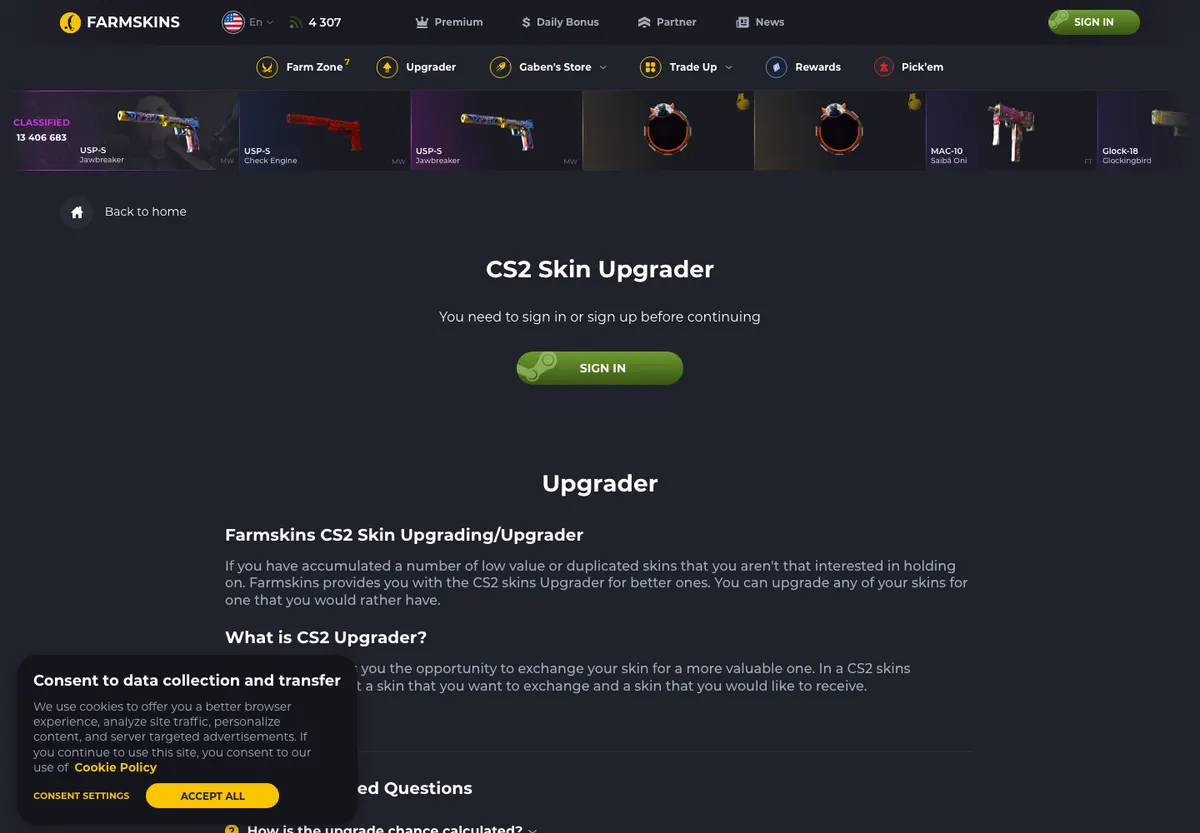
Farmskins documents an Upgrader in which input items, optionally supplemented by Bullets, are exchanged in an attempt to obtain a higher-value target skin. Its terms say a failed attempt still yields a skin, but that skin’s value is not assured. This is not the same as buying the selected target. Nor is it a Counter-Strike trade-up contract: Howl’s exclusion from crafting remains unchanged.
Understand the chance before valuing the target
In an upgrade-style game, a lower-valued stake is put at risk for a higher-valued target. As the target becomes more valuable relative to the stake, the stated success chance falls. The operator’s margin creates a house edge, so repeated play has an expected loss rather than being a dependable way to acquire the target. A skin returned after failure does not, by itself, establish that the value committed has been preserved.
No timing choice, animation pattern or staking sequence changes a stated chance. Choosing a smaller commitment can limit exposure, but it does not create an advantage over the game. Previous failed attempts do not make the next attempt owed to you. If the goal is specifically to own Howl, recognise that spending on attempts can leave you without that item and with less value available for another route.
Confirm Howl availability before committing items
Current Howl target availability is not confirmed. Search the official Upgrader rather than treating this guide or a screenshot as a stock listing. If a target is available, identify its exact condition and the selected input items. Read the chance presented for that configuration before proceeding; if a clear chance is not available, stop rather than estimating it from an item-value ratio. No Farmskins Howl-specific percentage or upgrade formula is quoted here.
Also distinguish the platform’s item valuation from a purchase quote elsewhere. A displayed value helps define the attempt within that service; it is not a promise of cash proceeds. Farmskins says Bullets have no cash value and cannot be transferred. Review the fees and pricing guide before assigning meaning to a balance, reward or target value, and consult the game-modes guide to avoid confusing upgrades with cases or battles.
Keep verification separate from winning chances
A provably fair system can let a player check that a result corresponds to committed data. It does not improve the success probability or remove the house edge. Farmskins does not document a seed-and-hash verification procedure in its terms or FAQ; its FAQ describes an algorithm choosing the item. Do not mistake an animation, a past result or that description for an independently reproducible verification method. The provably-fair guide explains the distinction.
Check withdrawal readiness before playing
Farmskins requires a saved Trade URL, a Public Steam profile and inventory, and Steam Guard active for 15 days. Its FAQ also says a deposit is required before item withdrawal, normally with a $4 minimum that may be raised for promo abuse. These are Farmskins requirements, not a universal description of every Steam transaction. Check them before committing items to an attempt rather than discovering an account requirement after obtaining a desired result.
Item delivery is by Steam trade offer. The FAQ gives a usual delivery time within 45 minutes and says delayed delivery can take up to 24 hours. Those are service estimates, not a promise that a particular Howl is stocked or immediately transferable. Cash withdrawal is not possible. For the broader decision, read the Farmskins review and deposit and withdrawal guide. Participation is restricted to adults aged 21+ and remains subject to the operator’s terms and applicable local rules.
What to do when an offer does not add up
- A case advertises Howl, but its reward list does not: do not infer eligibility from the artwork. Read the current contents and seek clarification before opening.
- A recipe promises a Howl craft: reject the premise. Contraband exclusion cannot be fixed by changing the input mix.
- An Upgrader target is missing: do not spend on unrelated attempts in the hope that this will unlock stock. Availability and attempt outcomes are separate questions.
- The Steam offer contains a different condition or item: do not approve it. Return to the original transaction details and resolve the discrepancy.
- A withdrawal is delayed: check the service status and Steam notices, then contact official support with the transaction details rather than sending additional skins to a purported helper.
Farmskins lists support@farmskins.com as a support address, and its FAQ also mentions live chat and tickets. Keep the relevant transaction reference and a clear description of the problem, but never send passwords or authentication codes. The support guide explains what to prepare. If repeated attempts are becoming a response to disappointment rather than a planned entertainment expense, stop and use the responsible-play guide.
Howl acquisition checklist
- Remember the central restriction: Howl is Contraband, no longer a Huntsman case drop and not a trade-up output.
- For an existing copy, inspect its identity, float, appearance and current trading eligibility.
- Do not substitute general rarity odds for a Howl-specific reward chance.
- On Farmskins, confirm target availability, the stated attempt chance and withdrawal readiness before committing items.
- Keep ownership goals separate from chance-based entertainment, and do not chase earlier losses.
M4A4 | Howl FAQ
No matching questions found.
What case is M4A4 | Howl from?
Can Howl still drop from a Huntsman Weapon Case?
Does the Covert drop rate apply to Howl?
Can you craft Howl with a trade-up contract?
What is M4A4 | Howl’s float range?
Does this guide confirm StatTrak Howl or rare Howl patterns?
Can I upgrade to Howl on Farmskins?
Can a Farmskins Howl result be withdrawn as cash?
Opens https://farmskins.com/upgrade. Check current targets and conditions; do not proceed without understanding the chance and possible loss.
Links to the official site are independent and earn no commission. →
This independent guide is for informational purposes and is not affiliated with Farmskins.