
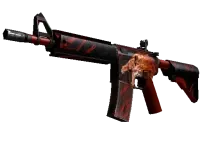




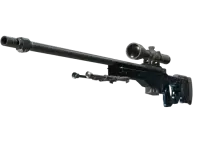
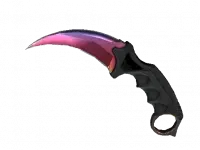
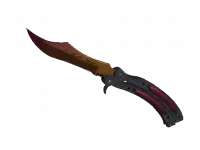


To use Farmskins, you sign in through Steam, save your Steam Trade URL, fund your account, choose a case or another supported activity, and request eligible CS2 items through a Steam trade offer. Its documented options include case opening, Farm Zone battles, an Upgrader and Skin Changer. The key distinction is that withdrawals are items, not cash. Before depositing, check your eligibility, Steam trading readiness and spending limit. Chance-based activities are 21+ in the United States and carry a house edge; receiving an item does not mean recovering what you spent.
Check current availability and terms at https://farmskins.com/ before creating a session or funding an account.
Links to the official site are independent and earn no commission. →
Understand the route from payment to item
Farmskins is a CS2 case-opening service, not a conventional buy-and-sell marketplace. Opening a case uses account balance, or Bullets where permitted, to receive an item from a predefined loot table. Other features let you compete over case results, attempt an upgrade or exchange an inventory skin. These actions have different consequences: selecting a case is not the same as buying a particular skin, and selecting an upgrade target does not secure that target.
| Stage | What happens | What to check |
|---|---|---|
| Account | Sign-in uses Steam OpenID. | You are authenticating on the genuine Steam domain. |
| Trade setup | Save the Steam Trade URL for the receiving account. | Profile and inventory visibility, plus Steam Guard readiness. |
| Deposit | An accepted payment funds the account. | The usual $4 minimum, payment terms and credited amount. |
| Activity | Open cases or use another supported feature. | Cost, possible outcomes and the rules of that activity. |
| Withdrawal | An in-game item is delivered through a Steam trade offer. | The actual offer contents and Steam delivery status. |
Cash withdrawal is not available. Farmskins also prohibits third-party resale and real-money exchange in its terms, so do not plan this workflow around turning account credits into money elsewhere. The Steam Community Market is a separate service that uses Steam Wallet funds. A Steam Wallet balance is not Farmskins balance, and Farmskins does not accept Steam Wallet as a deposit method.
Check eligibility before opening an account
Start with the conditions that could prevent you from using the service or receiving an item. It is better to discover a restriction before paying than while a withdrawal is pending. Being able to load the website is not, by itself, confirmation that you are eligible.
- Age: Farmskins requires users to be 18+, regardless of parental consent; users in the United States must be at least 21+ and comply with applicable state requirements.
- Location: the terms exclude Denmark, Norway, Sweden, Belgium, Russia and Slovakia, along with sanctioned and FATF-listed countries. Check current terms and applicable local rules rather than treating this list as legal clearance.
- Steam readiness: the FAQ requires a Public Steam profile and inventory, a saved Trade URL and Steam Guard active for 15 days.
- Withdrawal prerequisite: the FAQ says a deposit is required before item withdrawal.
- Budget: choose a spending limit you can afford to lose, independently of any skin you hope to receive.
Identity verification can also apply. Farmskins names Sum and Substance as its third-party verification provider for suspicious activity, high-risk jurisdictions and certain transactions. Its policy states that the company does not store identity documents. This does not mean every account avoids verification: be prepared to follow a legitimate request through the designated process, rather than sending documents to someone who contacts you informally.
Sign in through Steam without exposing credentials
Farmskins uses Steam OpenID for sign-in. In a normal OpenID flow, you authenticate with Steam and authorize the identifying information used by the third-party service. That is different from giving a case-opening website your Steam password. General account-security practice is to check the browser address carefully, especially when arriving from search advertising, messages or copied links.
- Open the intended websiteNavigate to https://farmskins.com/ and choose its Steam sign-in option. Do not use a login link sent by an unknown account.
- Inspect the Steam authentication pageCheck the actual domain, not just the logo or a padlock. Enter credentials only into a genuine Steam authentication page.
- Confirm the correct accountIf your browser already has a Steam session, verify that it belongs to the account whose inventory should receive withdrawals.
- Review the returned sessionAfter authorization, check that Farmskins shows the intended Steam identity before saving a trade link or making a payment.
As general security guidance, never share your password, recovery codes or authenticator codes with a person offering account help. A familiar avatar is not proof of identity. If sign-in loops or the wrong account appears, stop before depositing and review the active Steam session. The Steam login guide covers account-access checks in more detail.
Set up the Steam Trade URL and receiving inventory
Your Steam Trade URL provides a way to address a trade offer to your account. It is not a password and does not itself accept an offer. Farmskins requires the link to be saved before withdrawal. The most important practical check is account consistency: the Steam account used to sign in, the account behind the saved link and the inventory you inspect should all be the intended destination.
- Find the link within SteamOpen your Steam Inventory, then Trade Offers and the section labelled “Who can send me Trade Offers?” Copy the Trade URL shown for your account.
- Save the complete URLPaste it into the Farmskins trade-link field without shortening it or removing its parameters. Recheck it if you later generate a replacement link in Steam.
- Check visibility and protectionFarmskins specifies a Public profile and inventory, with Steam Guard active for 15 days. Check these before funding the account, not only after receiving an item.
- Read any Steam restrictionIf Steam displays a trading restriction or hold, follow the explanation shown there. A saved Trade URL does not override Steam's account-security controls.
Steam Guard and trade holds serve related but different purposes. As general Steam guidance, the mobile authenticator provides additional protection for trade and market confirmations. A trade hold means Steam retains items for a period before delivery, allowing compromised-account owners to cancel fraudulent trades. Do not interpret Farmskins' 15-day Steam Guard requirement as a universal statement about every Steam hold. The trade-safety guide explains why a valid link alone is not enough.
Deposit only after checking the payment details
The FAQ gives a normal minimum deposit of $4 and says that the minimum may be increased for promo abuse. Treat that as the documented starting point, not a promise that every method or account will present identical checkout conditions. Before confirming, inspect the payment amount, currency, any displayed charges and the balance to be credited. Keep the payment reference.
| Method | Documented detail | Practical check |
|---|---|---|
| Card through ZEN | ZEN is the named card provider. | Confirm that the provider accepts your card and location. |
| BLIK or bank transfer | Both appear in the FAQ's deposit methods. | Use the payment reference and instructions supplied for that transaction. |
| Klarna Sofort | Processing can take up to 3 days. | Do not mistake an incomplete settlement for missing case balance. |
| Coinbase crypto | The FAQ specifies 6 confirmations. | Check the requested asset, network and destination before sending. |
| Skin2pay | Listed as a deposit option. | Review the accepted items and credit terms in the payment flow. |
| G2A/Kinguin gift cards | Named as supported gift-card routes. | Check the required product and redemption instructions before purchase. |
| Steam Wallet | Not accepted. | Do not add Steam Wallet funds expecting to move them into Farmskins. |
Most deposit methods are described as taking 5–30 minutes, but method-specific conditions matter. The longer Klarna Sofort window and Coinbase confirmation requirement should not be replaced with the general estimate. If money has left the payment source but balance is missing, check the provider's transaction status and your receipt before trying again. A second payment can create a separate transaction rather than repair the first.
A listed payment method is not a promise of a fee-free transaction. Check any conversion or provider charges shown before authorization. Refund wording also needs care: the terms allow a request within 14 days for unused funds, while the same section describes purchases as final and non-refundable. Ask support how those clauses apply before assuming a payment can be recovered. A possible payment refund is different from cashing out account balance.
Keep balance, Bullets and Crystals separate
Farmskins uses several internal units, and confusing them can lead to the wrong decision at checkout. Balance is used for case purchases. Bullets are an internal unit accepted by particular features. Crystals are used for Pick'em tournament predictions. The terms say Bullets and Crystals have no cash value, cannot be transferred and are forfeited on account termination. They also describe balance credits as not worth real money and non-refundable, subject to the conflicting refund language noted above.
- Case cashback is 3% in Bullets on cases bought with Balance. It is not a cash rebate to your payment method.
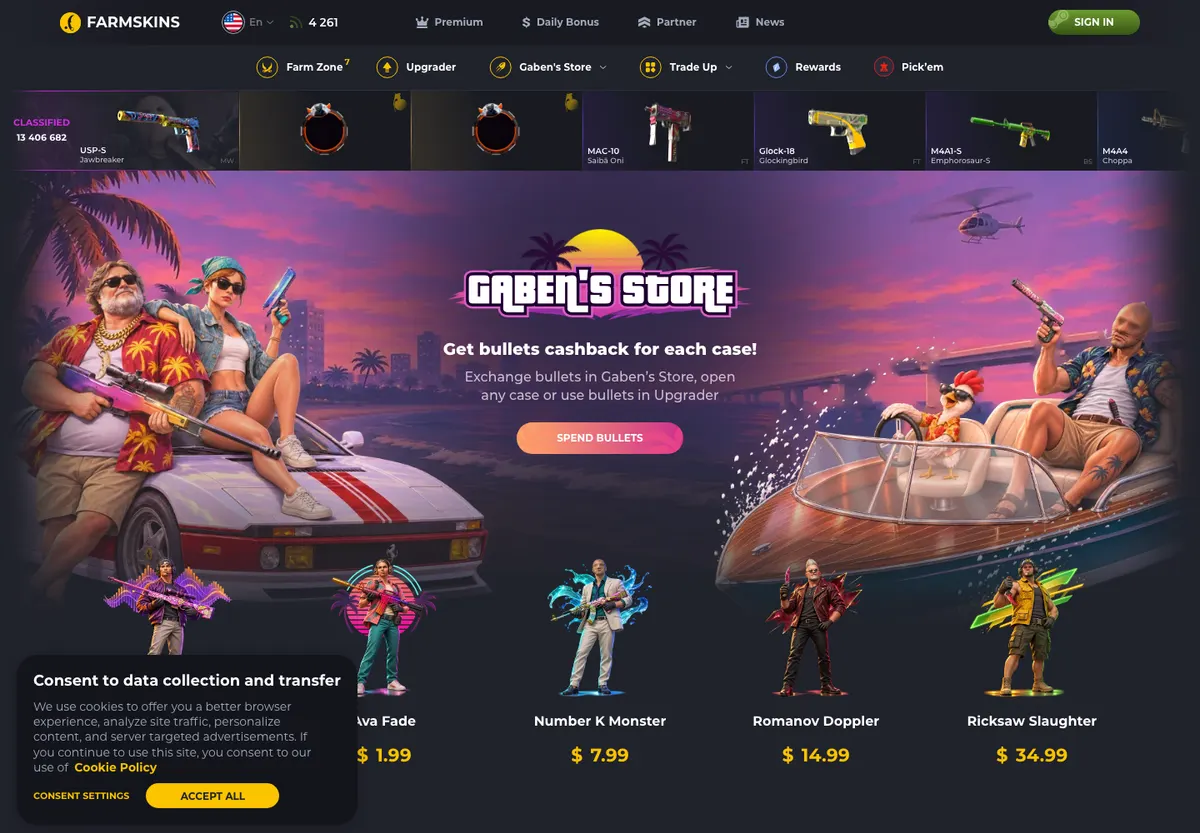
- Gaben's Store accepts Bullets only and offers cases, skins and balance cards.
- Skin Changer settles differences between exchanged inventory skins in Bullets, paid in or returned.
- Warehouse exchanges Bullets for a random skin; it is not selection of a known item.
- Pick'em uses Crystals for esports predictions, rather than making Crystals another withdrawable balance.
Before approving an action, read which unit it consumes and which unit it returns. A larger internal balance in one unit does not establish the same purchasing power in another. Do not make an additional deposit solely to pursue rewards or recover a previous loss. The fees and pricing guide separates case prices, internal credits and payment considerations.
Continue to https://farmskins.com/ to inspect the methods and conditions presented for your account before making a payment.
Links to the official site are independent and earn no commission. →
Choose an activity by its rules, not its animation
| Activity | What you commit | How the result differs |
|---|---|---|
| Case opening | The case price in Balance, or Bullets where permitted. | An item is selected from the case's predefined loot table. |
| Ultimate Mode | An optional setting on some cases. | The pool may shrink, the price may fall and Bullet accrual may increase. |
| Farm Zone | Participation in shared case openings. | Users compete over item values; the published settlement descriptions need careful checking. |
| Upgrader | Input items and optionally Bullets. | The target is a higher-value skin; a failed attempt still gives a skin of unguaranteed value. |
| Skin Changer | An inventory skin, with any difference settled in Bullets. | An exchange rather than a case opening. |
Opening a case: inspect the pool before paying
Open the case's detail page, inspect its contents and confirm the displayed price and selected mode. Homepage examples include Mil-Spec at $0.29 and Fortune at $888.88, illustrating why the case name alone is not enough to judge the spending commitment. Recheck the live price rather than relying on an old screenshot. If Ultimate Mode is available, review its altered pool and price before deciding; it is not merely a different visual presentation.
After confirming an opening, review the resulting item before taking another action. The presence of a valuable skin in a loot table does not establish how likely you are to receive it. Likewise, an animation that stops near another item is not evidence about the probability of your next result. Use the case-opening guide for a closer explanation of case selection.
Farm Zone: clarify how the battle is settled
The Farm Zone page describes battles for 2, 3 or 4 users, with up to 30 cases per match. Its explanation awards each round's skins to the player with the highest-valued skin. The terms instead describe the highest total platform-valued result winning all items, with possible consolation items for losing users. These descriptions should not be silently treated as identical. Read the rules presented for the particular match and ask support to resolve any ambiguity before joining.
Check the full participation cost, the selected cases and how results are compared. Competition does not remove chance or make an item outcome more predictable. Do not enter another battle simply to reverse an earlier result.
Upgrader and Skin Changer: distinguish risk from exchange
The Upgrader commits input items and optionally Bullets toward a higher-value target. A failed attempt still yields a skin, but its value is not guaranteed. That fallback should not be mistaken for preserving your input value. Before confirming, decide whether you are comfortable giving up the selected items rather than focusing only on the target shown.
Skin Changer has a different documented purpose: exchanging an inventory skin for another, with differences paid or refunded in Bullets. Compare the outgoing item, incoming item and Bullet adjustment together. Do not assume this is an unrestricted Steam-to-Steam trading market. The game-modes guide compares the supported activities without treating them as interchangeable.
Inspect the actual skin, not just its displayed value
As general CS2 item guidance, a skin name does not always describe every attribute that matters. Wear categories indicate condition, while float describes wear more precisely. Patterns and special attributes can distinguish otherwise similar items. Rarity is a classification, not a statement of the chance assigned by a particular case-opening service. A thumbnail alone should not substitute for the available item details.
This matters when deciding whether to keep an item, use it in another activity or request delivery. A platform's displayed valuation is not a promise of cash redemption, particularly where cash withdrawal is unavailable. Farmskins supports CS2 items; do not assume the same account flow supports Dota 2, Rust or TF2 inventories. Consult the supported-games guide and skin terminology glossary if game support, wear or rarity is unclear.
Withdraw an item and verify the Steam offer
A withdrawal request and a completed Steam trade are different events. Farmskins sends items through Steam trade offers. As general Steam mechanics, an offer specifies items on each side of a proposed trade; inspect those contents instead of trusting the sender's display name, avatar or accompanying message.
- Confirm the receiving setupRecheck your saved Trade URL, Public profile and inventory, and the Steam Guard requirement. Confirm that you have met the site's deposit prerequisite.
- Select the item for withdrawalInspect the item details and read any message shown before submitting. Do not assume that a selected item has already been delivered to Steam.
- Open Steam independentlyReview incoming trade offers through Steam rather than following an unsolicited chat link. Compare the proposed incoming item with your requested withdrawal.
- Inspect both sides before acceptingCheck whether the offer asks you to send anything. An unexpected outgoing-item request is a reason to stop and verify, not an instruction to follow automatically.
- Check completion and inventoryAfter any required Steam confirmation, inspect the trade status and receiving inventory. Keep the trade reference if the site and Steam show different states.
The FAQ says item delivery usually takes place within 45 minutes, while delayed delivery can take up to 24 hours. It gives a return time of 1 hour for rejected offers. These are published expectations, not guaranteed deadlines. They should not be confused with a separate Steam hold or a support response estimate. If you reject an offer, follow the existing request rather than assuming the item has already returned and submitting conflicting actions.
Troubleshoot the stage that is actually blocked
| Situation | Check first | Useful next step |
|---|---|---|
| Steam sign-in returns to the wrong account | The active Steam session in your browser. | Resolve the identity mismatch before saving details or depositing. |
| Payment completed but balance is absent | Provider status, receipt and method-specific processing conditions. | Keep the reference and ask support to trace that transaction. |
| Withdrawal cannot proceed | Trade URL, visibility, Steam Guard and deposit prerequisite. | Read the exact error rather than paying again speculatively. |
| Steam offer has not arrived | Withdrawal request status and actual incoming Steam offers. | Compare the elapsed time with the FAQ's delivery expectations. |
| Offer contains an unexpected request | Both sides of the trade and the requested item. | Stop and verify through official support before accepting. |
| Rejected offer has not returned | The original request and rejection time. | Use the FAQ's 1-hour return expectation when describing the issue. |
For a useful support request, prepare your account identifier, payment or withdrawal reference, the relevant timestamp, an exact error message and screenshots that exclude sensitive credentials. Explain whether the problem is payment settlement, account credit, item selection or Steam delivery. That distinction is more actionable than saying only that the account does not work.
Farmskins lists support@farmskins.com, and its FAQ mentions live chat and a ticket system. Published support hours are daily 09:00–19:00 UTC, with replies usually within 24 hours. That reply expectation is not the same as an item-delivery deadline. Use the support guide to prepare the information needed for the relevant problem.
Understand what result verification can establish
Farmskins' FAQ describes an algorithm choosing the case item. Its terms and FAQ do not document a provably-fair seed-and-hash verification procedure. Do not mistake a visible result, successful withdrawal or polished animation for independent verification of how the random selection was produced.
As a general concept, provably-fair systems use cryptographic commitments and disclosed inputs to let users check a result against a defined calculation. Even a verifiable calculation does not remove the house edge or make a particular session profitable. Security, delivery and fairness answer different questions: a secure login protects access, a completed trade confirms delivery, and a reproducible result calculation addresses the outcome mechanism.
If your goal is a particular skin, remember that a random case does not let you choose its contents. Decide whether chance-based entertainment matches that goal before spending. Set a stopping point in advance, take breaks and avoid chasing losses through upgrades or battles. Read provably-fair verification explained and responsible-play guidance before committing funds you would be uncomfortable losing.
Your checklist before continuing
- Confirm that you meet the age, location and account conditions.
- Check that Steam sign-in and the saved Trade URL refer to the intended account.
- Make the required visibility checks and confirm Steam Guard readiness.
- Read the payment total, credited balance and method-specific processing conditions.
- Understand what the chosen activity consumes and how its result is settled.
- Keep a spending limit independent of cashback, targets and previous outcomes.
- For withdrawal, inspect the real Steam offer and remember that cash withdrawal is unavailable.
Frequently asked questions
No matching questions found.
How does Farmskins work for a new user?
Do I have to deposit before withdrawing a skin?
Where do I find my Steam Trade URL?
What Steam settings does Farmskins require?
Can I withdraw Farmskins balance as cash?
How long does a Farmskins item withdrawal take?
Can I use Steam Wallet funds to deposit?
Does a failed upgrade return my original value?
What should I do if an item or deposit is missing?
Go to https://farmskins.com/ to inspect current case details and account conditions. Proceed only if eligible, 21+ in the United States and comfortable with the risk of loss.
Links to the official site are independent and earn no commission. →
This independent guide is for informational purposes and is not affiliated with Farmskins.